Drafts
What It's For
Drafts shows the marketing pieces your writer agents are still working on, before any of them is ready for your sign-off. It is a read-only list: nothing here can be approved or rejected. When a piece is ready for a decision, it leaves this list and appears in the Work Queue, except designer images, which stay here.
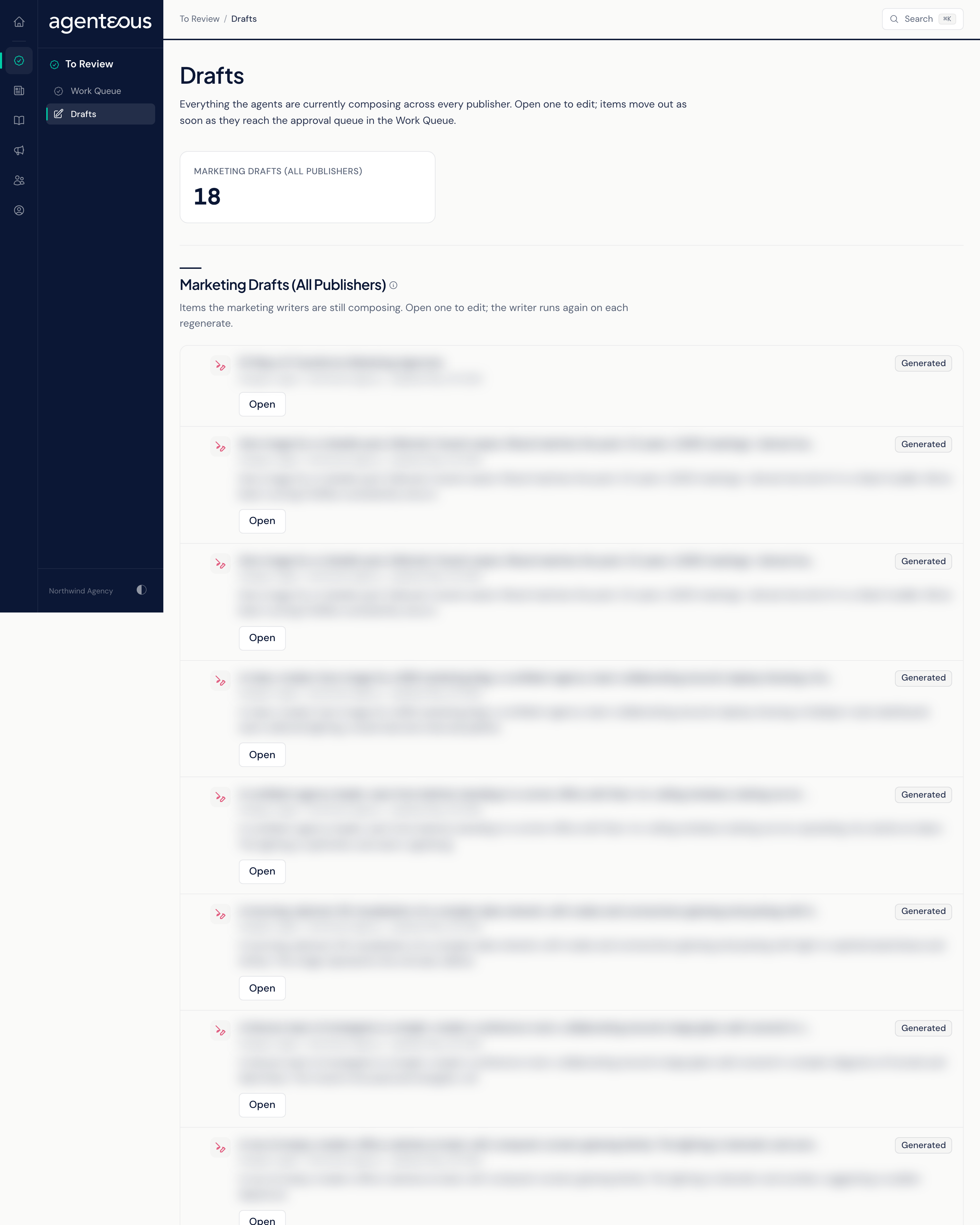
Marketing Drafts (All Publishers)
A single count at the top shows how many drafts are in progress. Below it, one row per draft shows:
- The writer agent that is working on it, with an icon. Drafts come from the agents that write content, social posts, email, podcasts, landing pages, web pages, video and designs. Analyst agents, such as Marketing SEO, Marketing PPC and Brand Guard, do not appear here.
- A summary of the piece, cut short if it is long.
- The brand it is for, and how long ago the writer last updated it.
- A status pill showing where the draft stands. A draft whose writer reported a problem shows Failed.
- Open, which takes you to that agent's own page for the draft. All editing and every other action happen there.
The list follows the brand you have selected. A piece moves off this list as soon as its writer marks it ready for review; from then on you find it in the Work Queue. Designer images are the exception: they never move to the Work Queue, so open them from here to use them.
When nothing is being written, the page reads "No Marketing Drafts in Progress". If the drafts service does not respond, it reads "Marketing Drafts Unreachable"; refresh in a moment. If just one writer agent cannot be reached, a warning banner reads "Some Writers Could Not Be Reached" and names them, so you know the drafts missing from the list may be with an agent that did not respond.
Who Uses It
- Marketing staff: see what is coming before it needs a decision.
- Agency owners and account leads: check what is in progress for a brand.