Marketing Overview
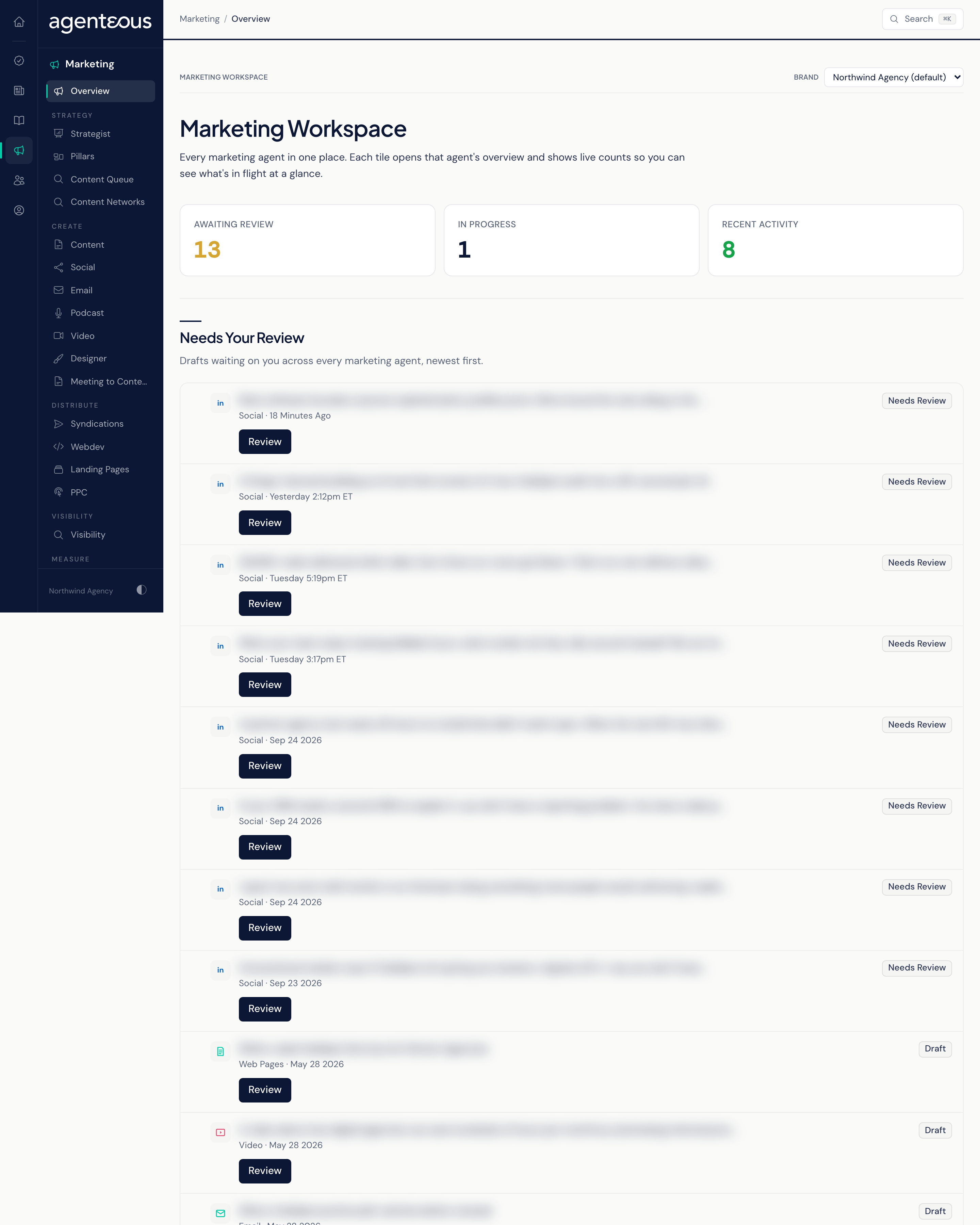
The Marketing Overview is the front door to the Marketing section of the app. It gathers the work of every marketing agent onto one screen, so you can see what is waiting on you, what has happened lately, and jump straight into any agent's own workspace. Nothing is created or approved here: it is a place for triage and navigation.
What It's For
Use the overview to start your marketing review. It answers three questions at a glance: how much is waiting for your sign-off, how much is still being worked on, and what the agents have produced recently. From here you open an item to act on it, or open an agent's workspace to focus on one kind of work.
The Marketing Rail
When you open Marketing, the side rail lists everything in the section, grouped by the stage of the work:
- Overview: this screen.
- Strategy: Strategist, Pillars, and the Content Queue and Content Networks.
- Create: Content, Social, Email, Podcast, Video, Designer, and Meeting to Content, all covered in Create Workspaces.
- Distribute: Syndications, and Webdev, Landing Pages and PPC, covered in Web, Landing Pages and PPC.
- Visibility: the Visibility workspace, which starts at the Visibility Overview.
- Measure: Analytics, Proof Points, Testimonials, and Brand Guard.
Every Marketing screen except the Visibility workspace has a thin Marketing Workspace bar along the top with a brand picker. Pick a brand and every Marketing screen narrows to that brand's work. Your choice is remembered, and it also applies to Drafts in Progress. The Visibility workspace has its own rail and its own picker for the site you are looking at.
Glance Band
Three counts sit across the top:
- Awaiting Review: drafts from any marketing agent that are waiting for your sign-off.
- In Progress: drafts the agents are still working on.
- Recent Activity: how many items the agents have produced or published lately.
Needs Your Review
A single list of drafts waiting on you, gathered from every marketing agent, newest first. Each row shows a short summary, which agent made it, how long ago, and a status pill.
- Review opens that item's own page, where you approve, edit, or reject it. Nothing is approved from this list.
- View All Approvals appears when the list has items. It opens the Work Queue on its Outbound view, where approvals from across the app wait.
When nothing is waiting, the list reads Nothing Awaiting Review.
Recent Activity
What your marketing agents have produced and published lately. Open on a row takes you to that item. When there is nothing yet, the list reads No Recent Activity.
By Agent
A row of chips, one per marketing agent: Content, Social, Email, Podcast, Video, Web Pages, Landing Pages, Designer, Brand Auditor, SEO, PPC, Analytics, and Strategist. A chip shows a badge with the number of that agent's items awaiting your review whenever there are any. Click a chip to open that agent's workspace. The SEO chip opens the Visibility Overview, which is where search and AI visibility work lives.
If none of the marketing services respond, the page shows Marketing Tools Unreachable in place of the lists. Refresh in a moment; if it keeps happening, tell your administrator.
Who Uses It
- Marketing and content leads: a daily starting point to clear what is waiting.
- Account managers: a quick check on what has gone out for the brand they look after.
- agency owners: a one-screen read on how much marketing work is in flight.