Testimonials
What It's For
Your clients say good things about your agency on calls. Testimonials is where that praise is caught, checked, and turned into quotes you can reuse. You approve or reject each candidate, record whether the client agreed to be quoted, save a clean or anonymized version if needed, and publish it to your library. Publishing here makes a quote ready for your team to use; it does not post anything publicly.
Where Candidates Come From
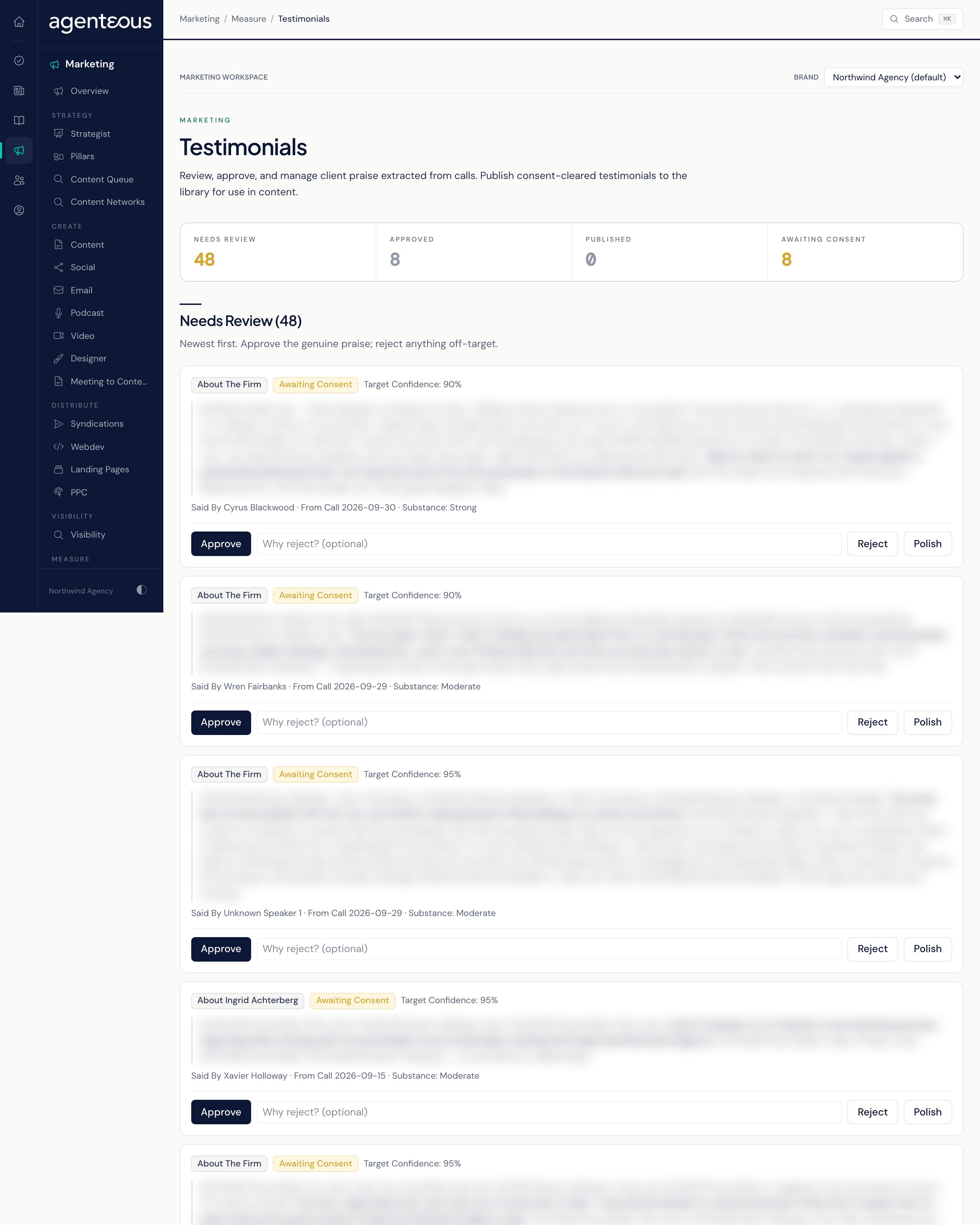
When testimonial capture is turned on for your agency, Agenteous reads the transcripts of your client calls, picks out genuine praise, and works out who or what it is about. Each find lands in Needs Review as a candidate. Nothing is approved automatically.
Counts
- Needs Review: candidates you have not decided on yet.
- Approved: quotes you accepted but have not published.
- Published: quotes in your library, ready to use.
- Awaiting Consent: approved quotes with no recorded yes from the client.
Needs Review
Candidate quotes, newest first. Each shows the quote, Said By (name, role, and company), the call it came from (From Call), and the Target Confidence: how sure Agenteous is that it tied the praise to the right person or to your firm.
- Approve moves the quote to your Library. If it has no clean version yet, Agenteous writes one for you as it approves.
- Reject, with an optional reason, drops a candidate that is off-target or not really praise.
- Polish tidies a spoken quote (filler words, false starts) without changing what was said. The original is always kept and shown as As Said.
Library
Everything you have approved or published. Each row shows its consent status (Awaiting Consent, Consent Requested, Consent Granted, Consent Denied, or Consent Withdrawn) and an Anonymized tag where it applies. Here you prepare a quote for use:
- Save Clean Version: edit the quote into a tidy, publishable form. Polish is available here too.
- Record Consent: choose Granted (Attributed), Granted (Anonymized), or Denied, and note how consent was obtained (an email reference or a contract clause, for example).
- Save Anonymized Version: for a client who agreed only to an anonymous quote, write a version that keeps the praise without anything that points back to them. From then on, only that version is shown.
- Publish adds the quote to your Published list. Unpublish takes it back out. Recording consent as Denied also unpublishes a quote automatically. Neither step removes the proof point created when the quote was published: if the client withdraws consent, also reject that point on Proof Points.
Publish stays unavailable until consent is granted, and an anonymized quote also needs its anonymized version saved first. If you try too early, the page tells you why.
Published
The quotes you can use, each shown as it should appear, with its attribution. An anonymized quote always shows its safe version, never the original. Filter the list by All, Starred Only, About The Firm, or About Staff.
- Copy Quote copies the quote alone.
- Copy Embed copies the quote with its attribution already formatted, ready to drop into a page or post.
- Star marks the quotes you reach for most.
Each card also shows how many times it has been used.
How Testimonials Reach Your Content
Publishing a testimonial also sends it to Proof Points as a new candidate. It becomes available to the agents that write your content only after you approve it there.
Record consent while it is fresh, and say exactly how you got it. If a client agreed only to an anonymous quote, write the anonymized version carefully: it is the only version anyone outside your agency will see.
Who Uses It
- Account managers: approve praise from their client calls and record consent.
- Content and marketing staff: copy published quotes into pages, posts, and proposals.
- Agency owners and leads: decide which quotes are good enough to publish.
Related
- Proof Points
- Marketing Proof Points
- Proof Point Library and Testimonials: operator settings and activity for testimonials and the proof point library.
- Meetings