Proof Point Library and Testimonials
What It's For
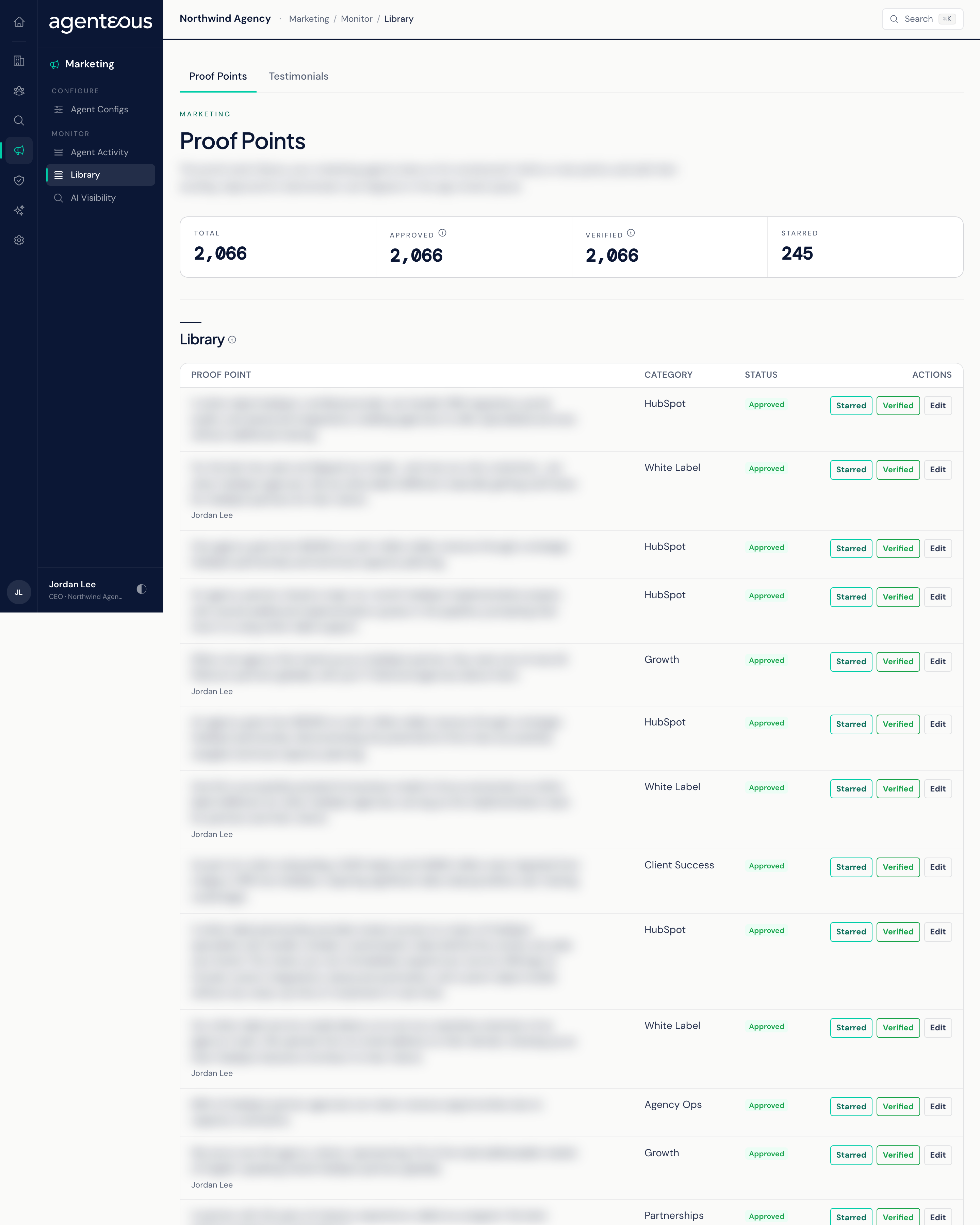
This screen holds the evidence your marketing agents are allowed to cite: proof points (results, praise, and other social proof) and the rules for capturing testimonials. It has two tabs. On Proof Points you tidy the library; on Testimonials you see the rules that decide which client praise is kept and when it may be used.
You find it in the Operator Console under Marketing. Both tabs are available on every install.
Proof Points
The tiles count:
- Total: every proof point in the library.
- Approved: points a person has approved for use. Only approved points are cited by the agents.
- Verified: points that passed the automatic scrutiny check. This helps rank points; it does not make a point usable.
- Starred: points someone has marked as a favorite.
The Library table lists up to 100 points, each with its text, category, and status (Pending, Approved, or Rejected). When a point has an anonymized public version, that is the text shown.
What you can do on each row:
- Star or Starred: mark or unmark the point as a favorite.
- Verify or Verified: set or clear the verified flag by hand.
- Edit: rewrite the point's text and its anonymized public version, then save.
You cannot approve or reject a point here. That decision is made on the Proof Points page in the app, and it is what controls whether the agents may use a point. Every star, verify, and edit is recorded in the Audit Log, and making these changes needs a role that can review proof points.
Testimonials
A read-only view of the testimonial rules in force on your install. Nothing on this tab can be edited.
- Capture Gating: the bar praise must clear before it is kept. Min Target Confidence is how sure the system must be that the praise was about your agency or a named team member. Min Sentiment is how sure the system must be that the statement is positive. Require Named Target drops general positivity that is not about your firm or a person on your team. Praise captured from meetings is checked twice: first by the meeting capture step, which uses its own stricter confidence bars and drops praise from your own team, filler, and comments that are not real endorsements; then against the values shown here. Praise that fails either check is dropped and never reaches the review queue.
- Consent Policy: the fixed rules the testimonial store enforces, listed for reference; they cannot be changed. A new candidate starts as Awaiting Consent, and an operator records consent against each testimonial; nothing is requested or inferred automatically. A testimonial can be published only when its consent is Consent Granted or Consent Granted (Anonymized); the other states (Awaiting Consent, Consent Requested, Consent Denied, Consent Withdrawn) all block publishing, and the check runs inside the store at the moment of publishing. Anonymized consent publishes only the anonymized public version, and publishing is refused until one exists. Setting consent to Denied or Withdrawn unpublishes the testimonial at once and returns it to Approved. Content drafting draws only on published testimonials with granted consent.
- Categories: the categories a testimonial can be filed under.
Consent is a separate step from review. Approving a testimonial does not give permission to publish it.
The review queue itself, where you approve testimonials and record consent, is the Testimonials page in the app.
Who Uses It
- Marketing leads: keep proof point wording clean and star the strongest points.
- Account managers: check why a piece of client praise did not appear, or why a testimonial cannot be published yet.