Marketing Agent Configs
What It's For
Marketing Agent Configs is where you set the defaults for the marketing agents. It is one screen with two tabs, Content and SEO, each holding a short form and a Save Settings button. These are the only marketing agent settings that change what the agents do, so every setting on this screen takes effect.
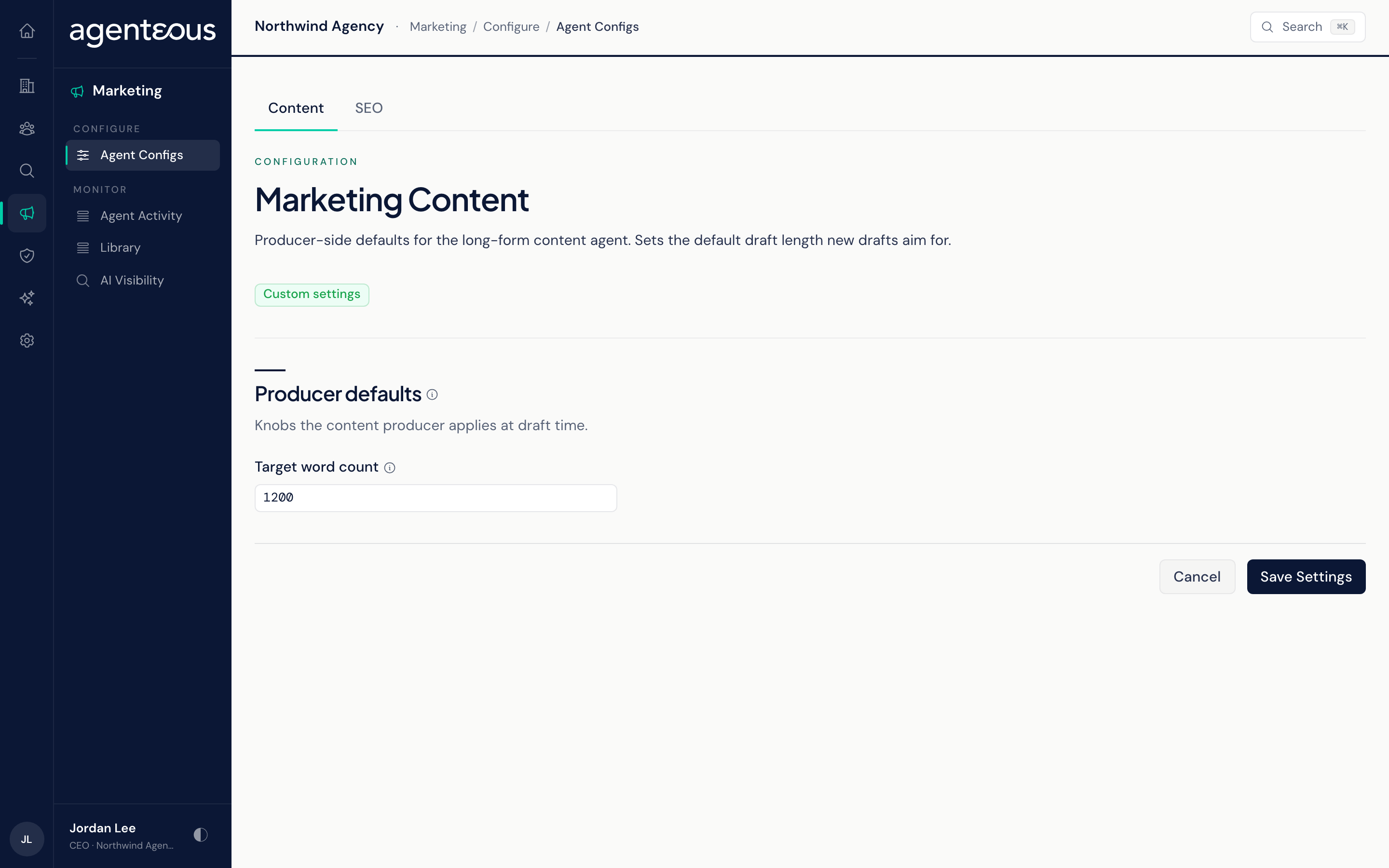
You find it in the Operator Console under Marketing. The tabs appear only when your install includes the marketing agents add-on; without it, the screen is not available.
Each tab is named after its agent. Every tab shows a badge next to its title: Custom settings once someone has saved that tab, Using defaults before then. Saving needs a role that can manage admin configuration. Each save is recorded in the Audit Log with who saved it and the values they saved.
To change how drafts are checked, use Brand Compliance.
Content
One section, Producer defaults, with one field. Target word count (100 to 20,000) is the length Marketing Content aims for when a draft is started without a length of its own. That includes drafts the Marketing Strategist hands to it. A request that names a length still gets that length.
SEO
All four SEO settings are read by Marketing SEO or by the AI Visibility checks.
- Target Engines: the AI assistants the AI Visibility check asks about your brand. Google means Google's AI assistant, not Google Search. ChatGPT is asked when ticked, and Perplexity only when your install has a Perplexity connection. The engines offered are Google, Perplexity and ChatGPT. If none of the engines you tick can be asked, the check asks Google and ChatGPT.
- Default Country (ISO-3166 Alpha-2): a two-letter country code (US, GB, CA, and so on). Keyword research uses it to pick which country's search data to pull. It does not affect on-page audits.
- AEO/GEO Check Cadence: how often each brand's AI Visibility check is due: Weekly, Monthly, or Manual. The check looks for due brands every Monday morning. Monthly means the first Monday at least 30 days after the last check. Manual takes the brand out of the Monday run.
- Minimum On-Page Audit Score (0 to 100): the floor for on-page audits. A page scoring below the floor is marked as a blocker. A page at or above the floor but under 80 is marked for revision. A page needs 80, or the floor if you set it higher than 80, to be marked ready to ship.
You can see the results of these settings on AI Visibility and on the SEO tab of Marketing Agent Activity.
Who Uses It
- Agency owners and operations administrators: set the content length and the SEO defaults for the install.
- Marketing leads: check which settings are in force before asking why an agent produced what it did.