Meetings
What It's For
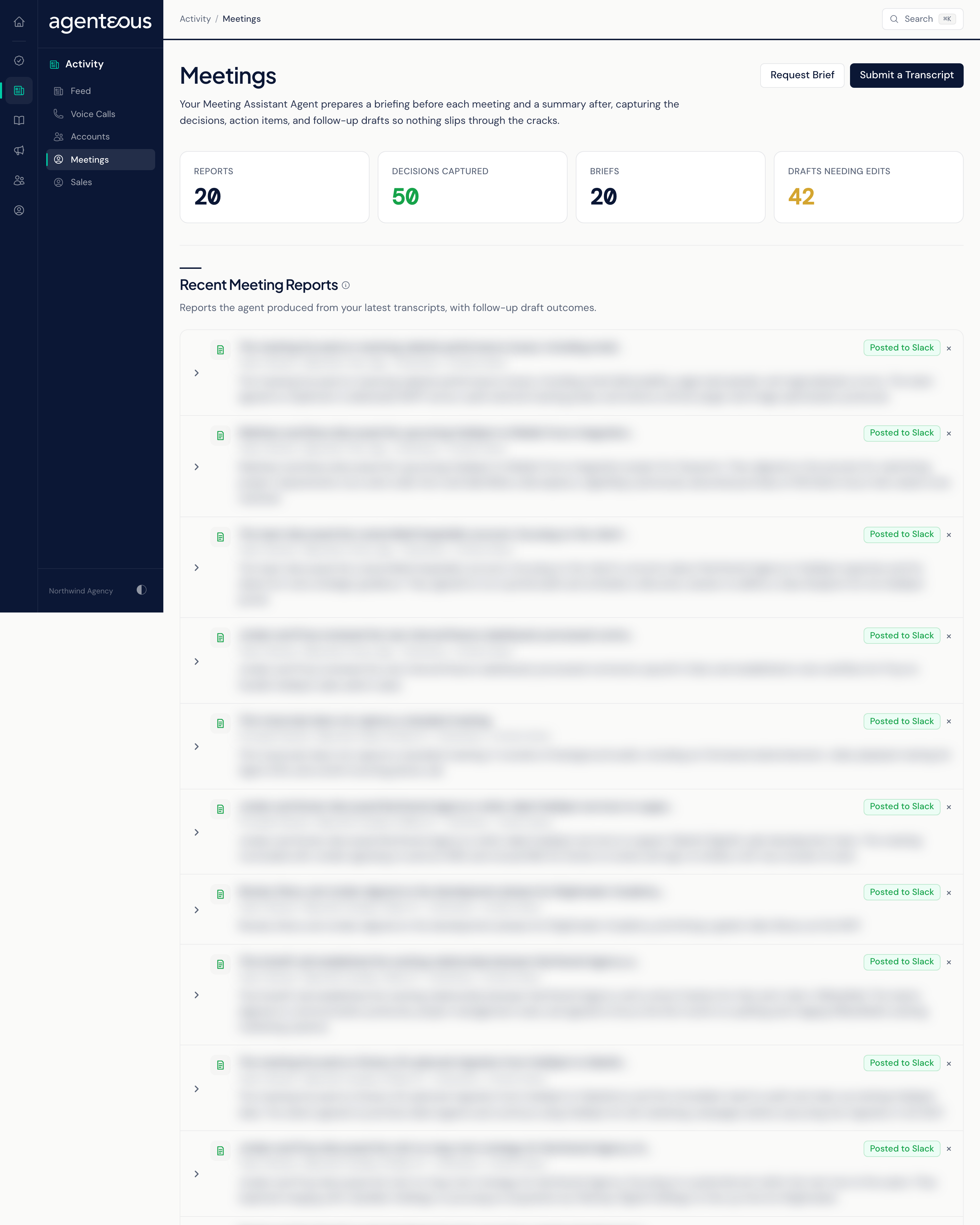
Meetings is the Meeting Assistant's page. It lists the reports the assistant wrote after recent meetings (decisions, action items and follow-up email drafts) and the briefs it prepared before them. Two buttons at the top let you ask for a brief now or submit a transcript to pull out its action items. Follow-up emails are saved to your email Drafts folder and never sent for you.
How the Page Fills Itself
The Meeting Assistant watches your calendar. By default it prepares a brief 45 minutes before each meeting and delivers it by email and in Slack. Your operator can change the lead time and where briefs go in the Operator Console, under Sales, in Meeting Assistant.
When a meeting is recorded through your connected meeting recorder, the transcript is picked up automatically and turned into a report. For a meeting that was not recorded that way, use Submit a Transcript.
Counts
- Reports: how many of the latest reports are shown, up to 20.
- Decisions Captured: decisions found across those reports.
- Briefs: how many of the latest briefs are shown, up to 20.
- Drafts Needing Edits: follow-up drafts in those reports that the brand check rejected or marked with changes. The brand check runs only when your operator has turned brand checking on.
All four counts cover only the most recent 20 reports and briefs, not your full history.
Recent Meeting Reports
Each report shows the meeting, when it was written, and a short summary of what it found. Expand it to read:
- TL;DR: a short summary of the meeting.
- Key Decisions.
- Action Items, each with an owner (or Unassigned) and a due hint when one was mentioned.
- Next Steps.
- Items to Confirm: points that were left uncertain.
- Follow-Up Drafts: one email per external attendee.
Each follow-up draft shows the recipient and subject, and either Sent To Drafts (it is waiting in your email Drafts folder) or Needs Edits (the brand check stopped it, with the reasons and suggested changes shown). Edit & Send opens the draft in your mailbox in a new tab; you review it and send it from there.
Recent Briefs
Each row shows the meeting title or the kind of brief, when it was generated, and a pill reading Posted to Slack or Queued. The content of a brief is not shown here; you read it in the email or Slack message it was delivered in.
You can hide a report or brief with its close control. Hiding is remembered in this browser only; teammates and your other browsers still see it.
Request Brief
Request Brief produces a brief right away instead of waiting for the scheduled one.
- Pick a meeting from your connected calendar's next 7 days. If the calendar list is not available, choose Paste an event ID instead and paste the calendar event's ID.
- Turn Post to Slack on or off. When it is on, the brief is posted to the meeting's Slack channel. When Slack is off for your workspace, this option is hidden and the brief is only saved.
- Click Request Brief.
Requesting a brief sends nothing to the meeting's attendees.
Submit a Transcript
Submit a Transcript runs a meeting analysis on demand.
- Give the meeting a Meeting Title.
- Choose a brand if the meeting belongs to one.
- Pick a Source: Pasted Text, Audio URL (a link that can be opened without signing in), or Upload Audio or Video File (up to 250 MB).
- Turn Post to Slack on if you want the analysis posted to your meeting channel.
- Click Submit for Analysis.
When it finishes, you see Analysis Ready with an Open Analysis link, which opens the meeting's action items on the Meeting Intel page. A submitted transcript does not produce follow-up email drafts and does not appear under Recent Meeting Reports; follow-up drafts come only from the reports the assistant writes after recorded meetings. Nothing is sent.
When Something Looks Off
- "Meeting Workspace Couldn't Load" means the page could not load your meetings. Refresh in a moment; if it keeps happening, ask your operator to check that the Meeting Assistant is running.
- A report shows no follow-up drafts in your mailbox: check whether they show Needs Edits. Drafts the brand check stops are not saved to your mailbox.
Who Uses It
- Account managers and sales staff: walk into meetings prepared and send follow-ups the same day.
- Agency owners: see the decisions and action items from recent meetings in one place.