Meeting Intel
What It's For
Meeting Intel lists meetings whose transcripts have been processed into action items. Open one to see who owes what, read the transcript, and turn the conversation into a blog post or LinkedIn posts for review. There is no upload form on this page: a meeting arrives here once it has been processed elsewhere, for example with Submit a Transcript on the Meetings page, whose Open Analysis link brings you here.
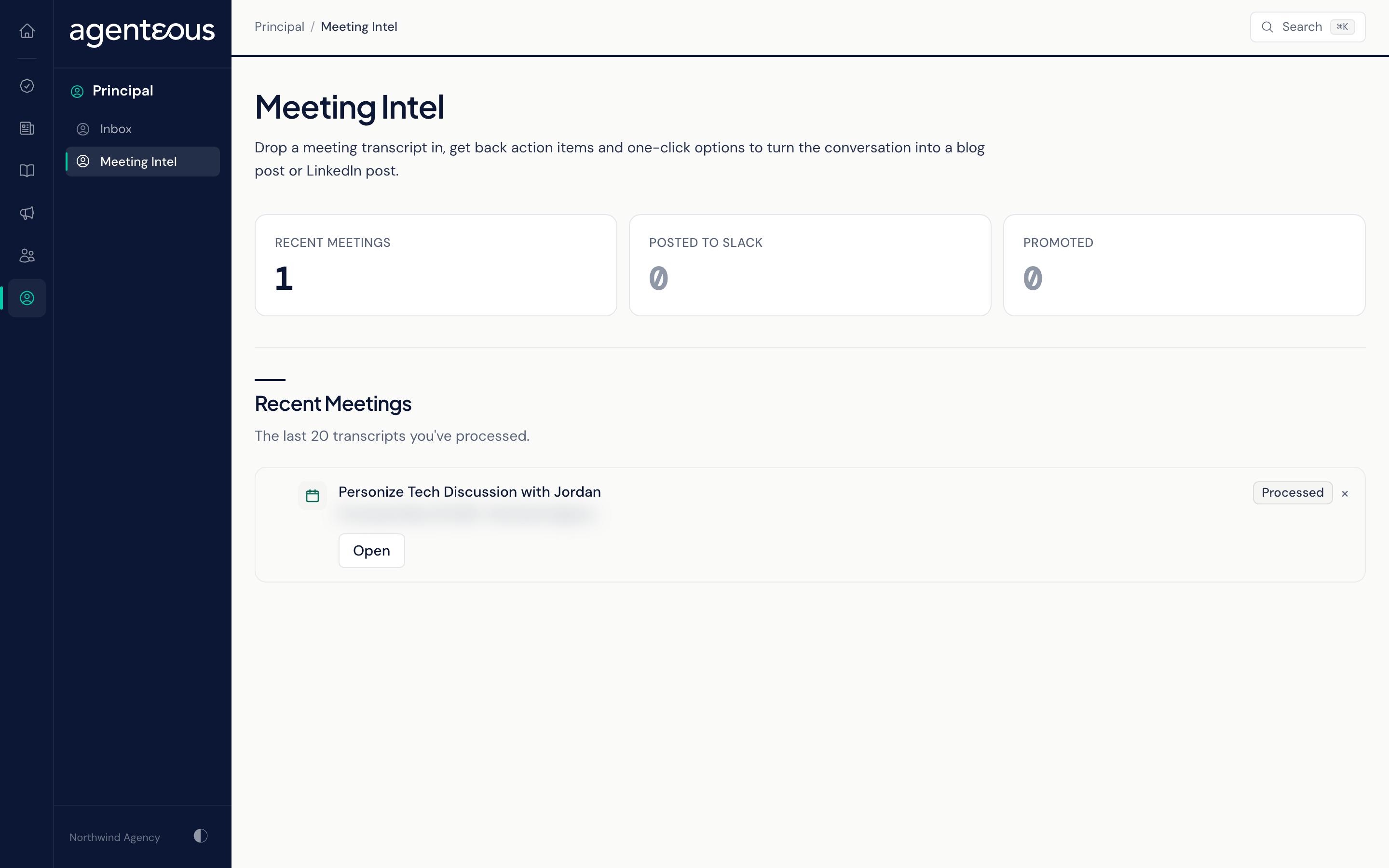
Recent Meetings
Three counts sit at the top, covering the last 20 meetings: Recent Meetings, Posted to Slack and Promoted.
The list shows those 20 meetings, newest first, for the brand you have selected. Each row shows the meeting title, when it was processed, the brand and a pill:
- Processed: analysed, not shared or promoted.
- Posted to Slack: the analysis was posted to Slack.
- Promoted: turned into a blog or LinkedIn draft.
Open takes you to the meeting. When there are none, the page reads "No Meetings Yet".
Meeting Detail
Promote This Meeting
- Promote to Blog creates a blog post draft.
- Promote to LinkedIn creates a LinkedIn post draft.
Both drafts start from the meeting's title, action items and key quotes rather than being written fresh, so expect to rewrite them before approving. Neither button publishes anything, but approving either draft schedules it to publish automatically at the next open slot. The drafts go to the content and social approval queues and appear in the Work Queue for sign-off like any other marketing piece. After you click, a message confirms the draft was created, or explains why it was skipped or failed. Each button can be used once per meeting and then reads Already Promoted to Blog or Already Promoted to LinkedIn.
Action Items
The action items found in the meeting, split into On Your Plate (the principal's) and Team, each marked Urgent, High, Medium or Low. If none were found, the section reads "No Action Items".
Transcript
The full text the action items came from. Click Show Transcript to open it.
When Something Looks Off
- "Meeting Intel API Not Reachable" means the page could not load. Refresh in a moment.
- "Meeting Not Found" means that meeting is not in your workspace's records.
- A meeting you submitted is missing: check that the brand selected at the top of the app matches the brand you chose when you submitted it.
Who Uses It
- Principals: see what you committed to in a meeting, apart from what the team owns.
- Marketing staff: turn a good conversation into a blog or LinkedIn draft.