Feed
What It's For
Feed is your list of notifications sent to the app. Your operators decide which notifications go to the app, the same way they decide what goes to Slack or email. You read the items, clear the ones you have handled, and bring back anything you cleared by mistake. Nothing on this page starts any work.
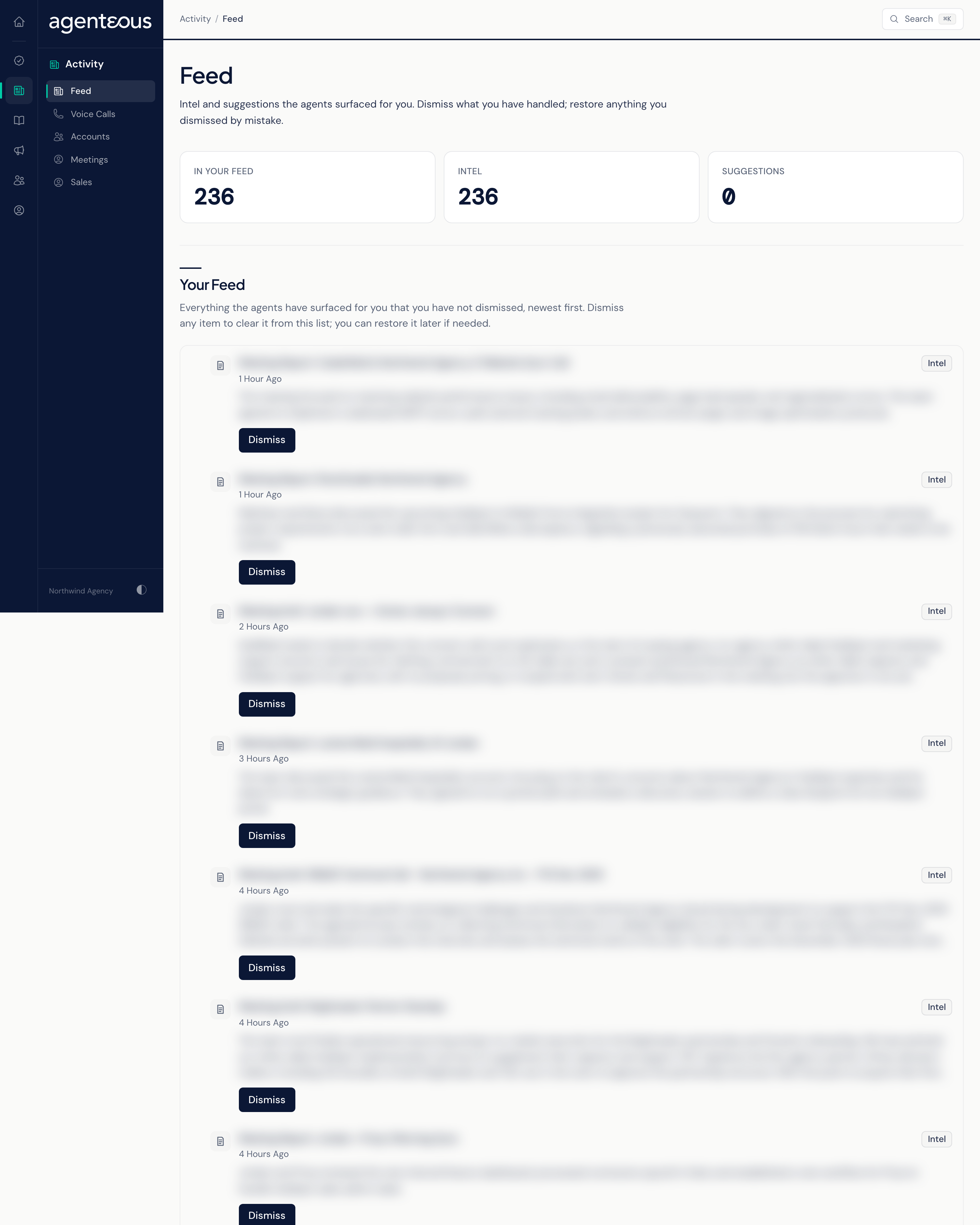
Counts
Three counts sit at the top:
- In Your Feed: everything in your live list.
- Intel: items sent to everyone on your team.
- Suggestions: items addressed to you personally.
Your Feed
This list holds every live item in your feed, newest first. Each card shows a label, a title, the message and when it arrived:
- Intel cards were sent to everyone on your team.
- Suggestion cards were sent to you alone.
Cards have no links or follow-up buttons. The only control is Dismiss, which clears the card from your own feed. Dismissing never affects what a teammate sees.
When the list is empty, it reads "Nothing In Your Feed".
Dismissed
This section appears once you have dismissed at least one item. It lists what you cleared, most recent first, shown faded with a "Dismissed" label. Restore puts an item back in your live list.
When Something Looks Off
- "Feed Unavailable" means the page could not load your feed. Refresh in a moment.
- An empty feed can also mean the feed service had a problem, because a fault shows as an empty list rather than an error. If you expect items and see none, refresh later or ask your operator to check.
- If you never see a type of notification you expect, ask your operator whether that type is routed to the app. They manage this in the Operator Console, under Agency, in Notifications.
Who Uses It
- Everyone who uses the app: a personal list of notifications you can clear at your own pace.