Notifications
What It's For
Notifications is where you choose how each routed platform notification reaches your team: Slack, email, both, or not at all. In the Operator Console, under System, open Channels & Notifications; the Notifications tab opens first, next to Channels and Slack Apps. This tab changes only the delivery mode of each notification. It does not choose Slack channels (that is the Channels tab) and it does not set up email digests.
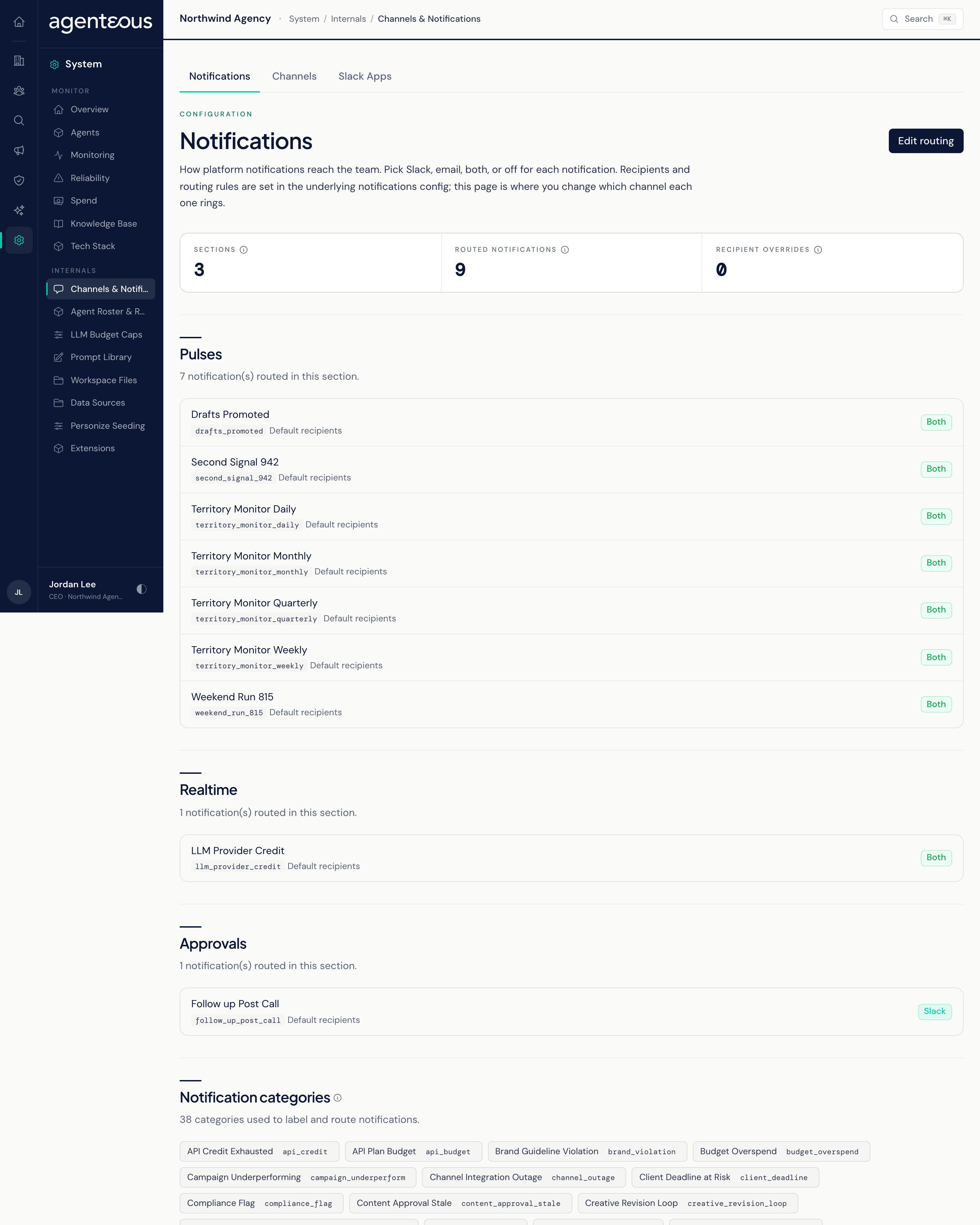
Notifications
Summary Counts
Three counts sit at the top: Sections (the groups notifications are filed under), Routed notifications (how many notifications are listed) and Recipient overrides (notifications sent to a specific person or channel instead of the section default).
Sections
Notifications are grouped into five sections: Briefings, Pulses, Realtime, Scheduled and Approvals. Each section card lists its notifications, each with its recipients shown for reference and a delivery selector:
- slack: posts to the configured Slack channel.
- email: sends to the routed recipients.
- both: does both.
- off: mutes the notification entirely.
If Slack or email is turned off install-wide on the Channels tab, the options that need it are not offered.
Click Edit routing, change the selectors you need, and click Save Changes. A footer counts your pending changes. Recipients and other details are kept as they are; only the delivery mode changes. Future sends of that notification use the new mode.
Delivery also respects each person's own notification choices on the Team tab of Team and Settings. If a person's choice cannot be checked, the notification is held back rather than sent.
What the Listed Notifications Do
The notifications that reach your team in Agenteous from this list are:
- The AI provider credit alert (Realtime): warns when an AI provider account has run out of credit, with a reminder each day while it stays out.
- The post-call follow-up (Approvals): the Meeting Assistant follow-up that waits for your approval after a call.
The other entries, in the Pulses section, belong to territory monitoring features that do not run in Agenteous. This setting is saved but does not currently change how the product behaves.
Some notifications, such as SLA alerts and inbox escalations, are not listed here at all; each person controls those on their Team record.
Notification Categories
A reference list of the labels the platform uses to classify notifications. It is set elsewhere and shown here for reference only.
Who Uses It
- Ops Admin, Admin Operator, CCO: change delivery modes. Only these roles can save, and every save is recorded in the Audit Log.
- Team leads: check which notifications are on and how they arrive.