Strategist
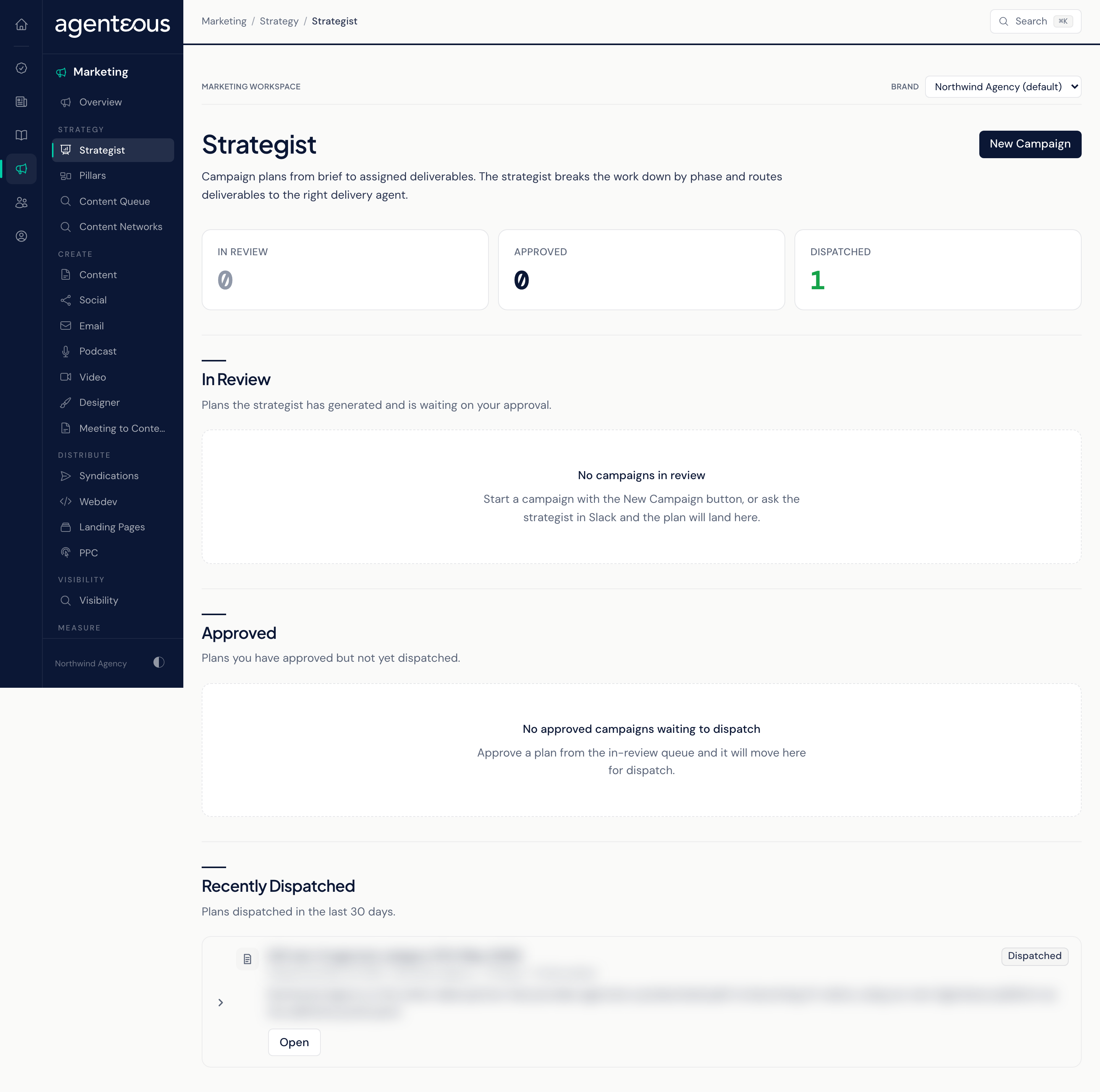
The Strategist screen is where campaigns are planned. You give the Marketing Strategist a brief, it returns a phased campaign plan with deliverables assigned to the right delivery agents, and you decide what happens next. Approving a plan and starting the work are two separate steps, so nothing reaches the delivery agents until you dispatch it.
What It's For
Use this screen to turn a campaign idea into a plan your team can act on. You review each plan, approve or reject it, and when you are ready you dispatch the approved plan so each delivery agent gets its assigned pieces to work from. You can also ask the strategist for a plan in Slack; the plan lands here either way.
KPI Band
Three counts across the top: In Review (plans waiting for your decision), Approved (plans you approved but have not dispatched), and Dispatched (plans already sent to the delivery agents).
In Review
Plans the strategist has generated and is waiting on you to approve. Each row shows the campaign name, a status pill, a summary of the plan's positioning, and the audience and channels when the brief named them.
- Approve marks the plan approved and moves it to the Approved list. It does not start any work.
- Review opens the campaign's page. The plan itself is read-only there; to change it, regenerate it or start a new campaign with a revised brief.
- Reject rejects the plan.
- The row menu offers Regenerate Plan (the strategist writes the plan again from the same brief) and Archive.
Approved
Plans you have approved but not yet dispatched. Open one to dispatch it.
Recently Dispatched
The ten most recently dispatched plans, so you can see which campaigns are now with the delivery agents.
New Campaign
New Campaign opens a form. Campaign Name and Brief are required. You can also set an Objective, a Target ICP Segment (it falls back to the brand's default audience), Channels separated by commas, a Budget Band (Lite, Standard or Flagship, which sets how many deliverables the planner proposes and how they are paced), and a Target Launch date that shapes phase lengths.
Leave Run the Planner Now on and Plan It creates the campaign and has the strategist write the plan straight away. Turn it off to save the campaign without a plan; press Regenerate Plan on the campaign page when you are ready. The brief cannot be changed after you create the campaign, so to revise it, start a new campaign. Either way, nothing is sent or published. The app opens the new campaign when it is ready.
Campaign Page
Opening a campaign shows its Brief and its Plan, broken into Positioning, Audiences, Phases, Measurement, Risks and Rationale, followed by Dispatch Events.
The buttons depend on the plan's status:
- Approve and Reject appear while the plan is a draft or in review. Reject asks for an optional reason.
- Regenerate Plan appears while the plan is a draft or in review.
- Dispatch to Delivery Agents appears only once the plan is approved.
- Archive appears unless the plan is already archived or rejected.
What Dispatch Does
Dispatching walks through every deliverable in the plan and hands each one to its delivery agent as a starting point. Blog posts, emails, web pages and landing pages arrive as unwritten starting points in Drafts, for your team to develop. Social posts arrive as a finished LinkedIn draft under Awaiting Review in the Social workspace, ready to approve. Search topics are added to the Content Queue. Deliverables for design, podcast, video, brand review, analytics and paid search are recorded in the dispatch log but do not create an item in those agents.
Dispatch publishes nothing. Each delivery agent's normal review and approval steps still apply, and approving a social draft schedules it to publish, as on any other social post. The Dispatch Events section on the campaign page lists what was handed to whom.
Who Uses It
- Marketing leads and strategists: brief, review and approve campaign plans.
- agency owners: sign off on a campaign before work begins.
- Content and channel staff: see which campaign their next deliverables came from.