Syndications
What It's For
Syndications is where one published blog post becomes several platform versions. When you distribute a post, Marketing Content rewrites it for each platform you pick (Medium, Hashnode, Dev.to, Reddit, or your newsletter), and each version lands here for you to edit, approve, schedule, publish, or reject. The original post stays the canonical copy; every adaptation is drawn from it.
How Adaptations Get Here
Nothing appears on this page by itself. Adaptations are created only when someone distributes a post:
- Open a published post in the Content workspace.
- In its Distribute section, click Distribute to Other Platforms.
- Under Pick Platforms, tick the platforms you want and click Adapt selected platforms. Each platform is marked configured or not configured for the brand; only configured platforms, and Newsletter, can be ticked.
Each platform you picked gets one adaptation, ready for review. If a post already has an adaptation for a platform, distributing again refreshes that version and sends it back to review.
Which platforms are available, and the accounts each one posts from, are set per brand in the Operator Console under Agency, in Brand Channels.
Recent Syndications
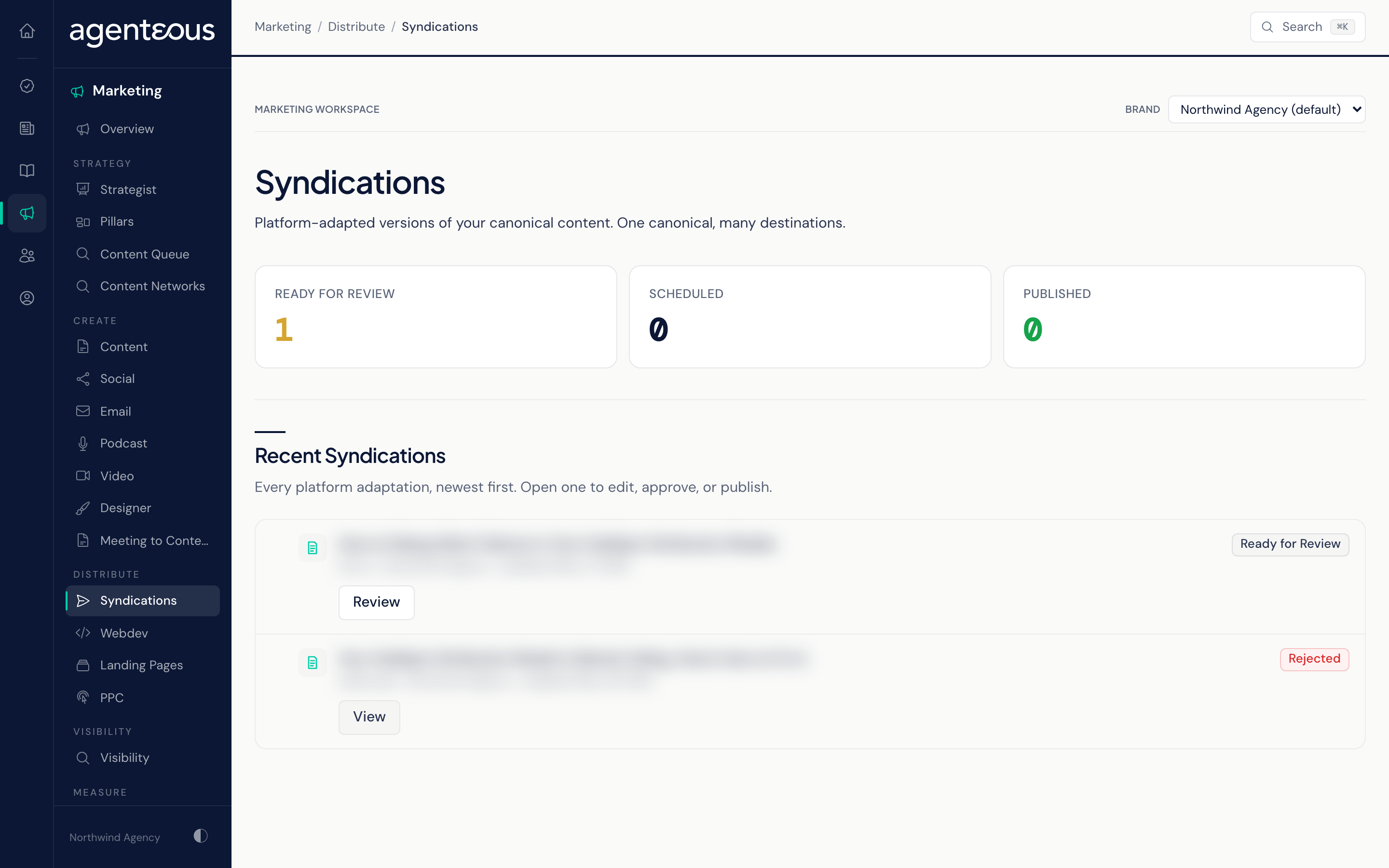
At the top, three counts summarize your recent adaptations:
- Ready for Review: versions waiting for your decision.
- Scheduled: approved versions with a publish time still ahead.
- Published: versions that have gone out.
Below the counts, Recent Syndications lists every adaptation, newest first. Each row shows the platform, the brand, its timing, and a status pill. Rows still in progress have a Review button; published or rejected rows have View. When a published version has a live link, the row also offers View on Platform.
The list follows the brand selected in the brand picker at the top of the Marketing pages. If the feed cannot load, the page shows "Activity Unavailable". If nothing has been distributed yet, it shows "No Syndications Yet".
Reviewing an Adaptation
Open a row to see the Canonical post beside the version Adapted for This Platform.
While a version is ready for review or approved, you can edit its Title, Body (Markdown), Tags, and Platform Metadata (such as the subreddit for Reddit, or the subject line and preview text for the newsletter), then click Save Edits. Saving changes the copy here only; nothing is posted.
The Actions section offers, depending on the version's status:
- Approve (for a version ready for review), with an optional Schedule (UTC, Optional) time.
- Without a time, the version is marked approved and waits for you to click Publish Now.
- With a time, the version is scheduled. Agenteous checks about once a minute and publishes it automatically once that time arrives, with no further click from you.
- Publish Now (for an approved or scheduled version): posts the version to the live platform straight away, using that brand's connected account.
- Re-Adapt (for a version that is ready for review, approved, or failed): rewrites the version from the canonical post and sends it back to review. Your edits to that version are replaced.
- Reject, with an optional Reject Reason: sets the version aside. It will not be published.
Approving with a schedule means the version is posted to the real platform when the time arrives, without asking again. To stop it, open the version and click Reject before then. If you are not ready, approve without a time and publish by hand later.
What Publishing Does on Each Platform
- Medium, Hashnode, Dev.to, Reddit: the version is posted to the brand's account on that platform.
- Newsletter: the version is written as a draft in the brand's connected Gmail account. Nothing is emailed. You open the draft in Gmail, set the recipients, and send it yourself.
If a platform is not set up for the brand, or the platform refuses the post, the version is marked failed. Fix the platform setup in Brand Channels, then use Re-Adapt to send the version back to review and approve it again.
Paste Platform Link
If a version is marked published but has no link to the live post, a Paste Platform Link section appears. Paste the URL and click Save URL so the feed can link to it. This form only appears on a published version without a link.
Trail
Each adaptation keeps a Trail of when it was created, updated, approved, scheduled, published, or rejected, and how many publish attempts it took when there was more than one.
Who Uses It
- Content and marketing staff: distribute posts, polish each platform version, and schedule them.
- Agency owners and leads: approve what goes out under each brand.
Related
- Create Workspaces: where the canonical posts are written and published.
- Marketing Content: the agent that writes the adaptations.
- Brand Channels: which platforms each brand can publish to.
- Marketing Overview