Knowledge
What It's For
Knowledge is a chat box that answers questions from your agency's own knowledge base and shows the sources behind every answer. Use it to find what your material says about a client, a service, your brand voice or your proof points, without hunting through folders. It only answers: it takes no action, drafts nothing and sends nothing.
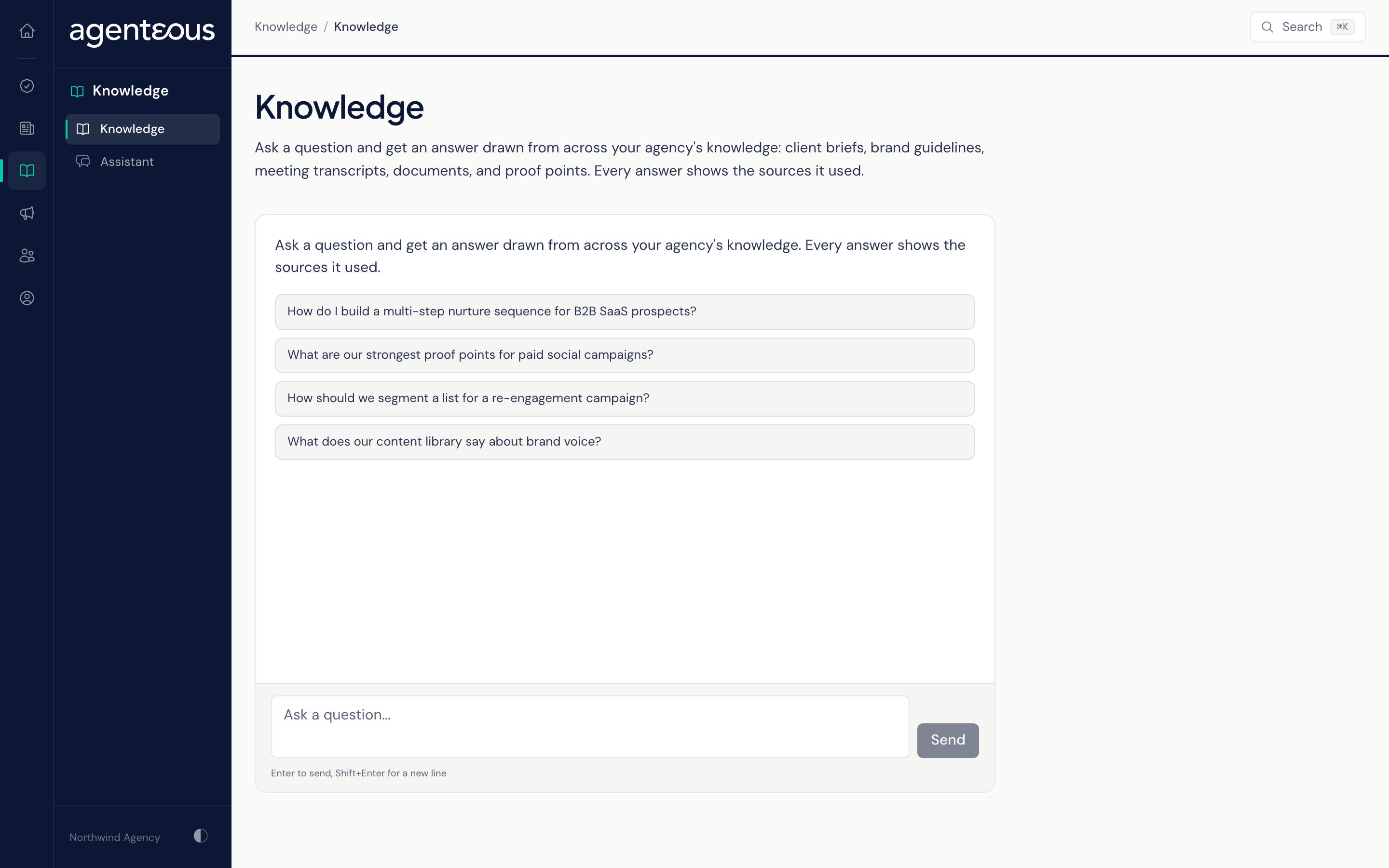
Asking a Question
Type into the box marked "Ask a question..." and press Enter. Shift+Enter starts a new line. If you are not sure where to start, click one of the suggested questions under "Try one of these to get started".
While it works, the page shows "Searching the knowledge base...".
How an Answer Is Built
- Your question is matched against your knowledge base, and the passages that best fit it are collected. When the question names one of your products, a second pass collects passages about that product so it is covered properly.
- When your agency has Personize connected, background it holds on the subject of the question is added. If that lookup fails, you still get an answer.
- A model writes the answer from those passages and the recent part of your conversation, so you can ask a follow-up such as "and for the other client?". Only your last few exchanges are used for this.
Sources
Under each answer, Sources lists the documents the answer drew on, up to eight, each with a label naming the collection it came from. If an answer looks wrong, check its sources first: the answer can only be as current as the material behind it.
Clear Conversation
Clear Conversation wipes the chat and starts fresh. The conversation lives only in your open browser tab: it is not saved, and reloading the page or closing the tab clears it too.
When Something Looks Off
- "Something went wrong answering that. Please try again." means the answer could not be produced. Ask again in a moment.
- "Could not reach the knowledge base. Check your connection and try again." means the page could not reach the service at all.
- Answers that miss something you know is in your files usually mean that material has not been added to the knowledge base. Ask your operator, who manages it in the Operator Console, under System, in Knowledge Base.
Who Uses It
- Account managers: look up a client's history, brief or preferences before a call.
- Marketing staff: check brand voice and find proof points for a draft.
- New team members: learn how your agency works from its own material.