Knowledge Base
What It's For
The knowledge base holds the documents and notes your agents search when they answer questions or draft work: client briefs, meeting notes, proof points, and the like. This screen shows how much it holds and whether it is reachable. It is read-only; you ask the knowledge base questions on the Knowledge page in the app.
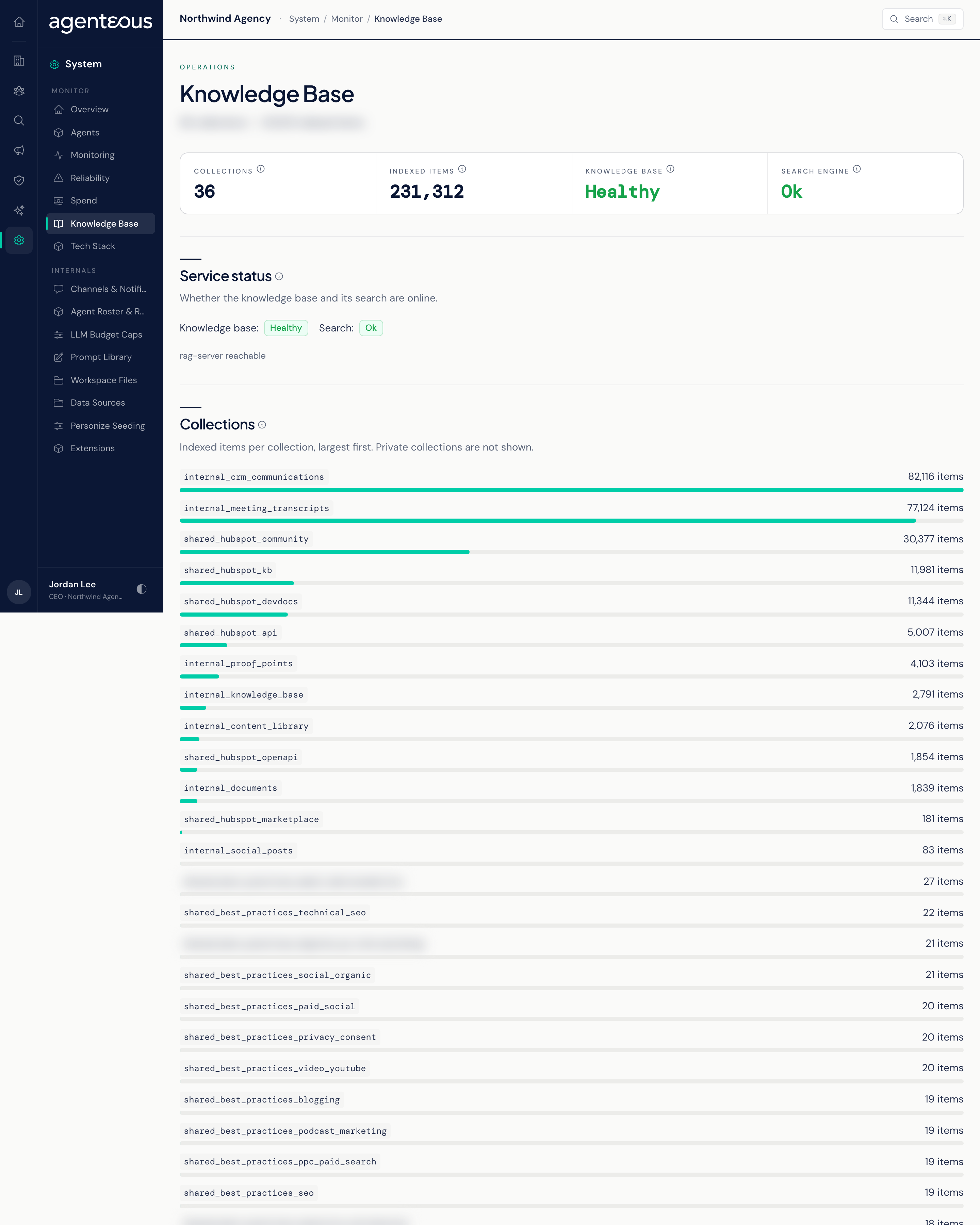
You find it in the Operator Console under System.
Tiles and Service Status
- Collections: how many collections of material are visible.
- Indexed items: the total number of searchable items across them. A long document is split into several items, so this is not a count of files.
- Knowledge base: whether the knowledge base itself is Healthy, Degraded, or Unreachable.
- Search engine: whether the search behind it is Ok, Unreachable, or Unknown.
Service status repeats the last two in words. If the knowledge base is unreachable, the screen says so and the collection sizes are not shown. Check the Service Health tab of Monitoring for the same service.
Collections
One bar per collection, largest first, showing its number of indexed items. Private collections are never shown here, so the totals cover only the visible collections.
The screen reads fresh figures each time you open it.
Who Uses It
- Operations administrators: confirm the knowledge base is online when agents start giving thin or unsourced answers.
- Agency owners: see roughly how much material your agents can draw on.