Syndications
Syndications is where you see how one piece of content gets reshaped for each platform you publish to, and review or approve those versions before they go out. You write a piece once. Behind the scenes, the marketing agents adapt it into the right shape for each destination: the length, the tone, the tags, and the formatting that each platform expects. This page is where all of those adapted versions collect so you can check them.
One source piece, many destination versions. The original stays the canonical copy; each platform gets its own version drawn from it.
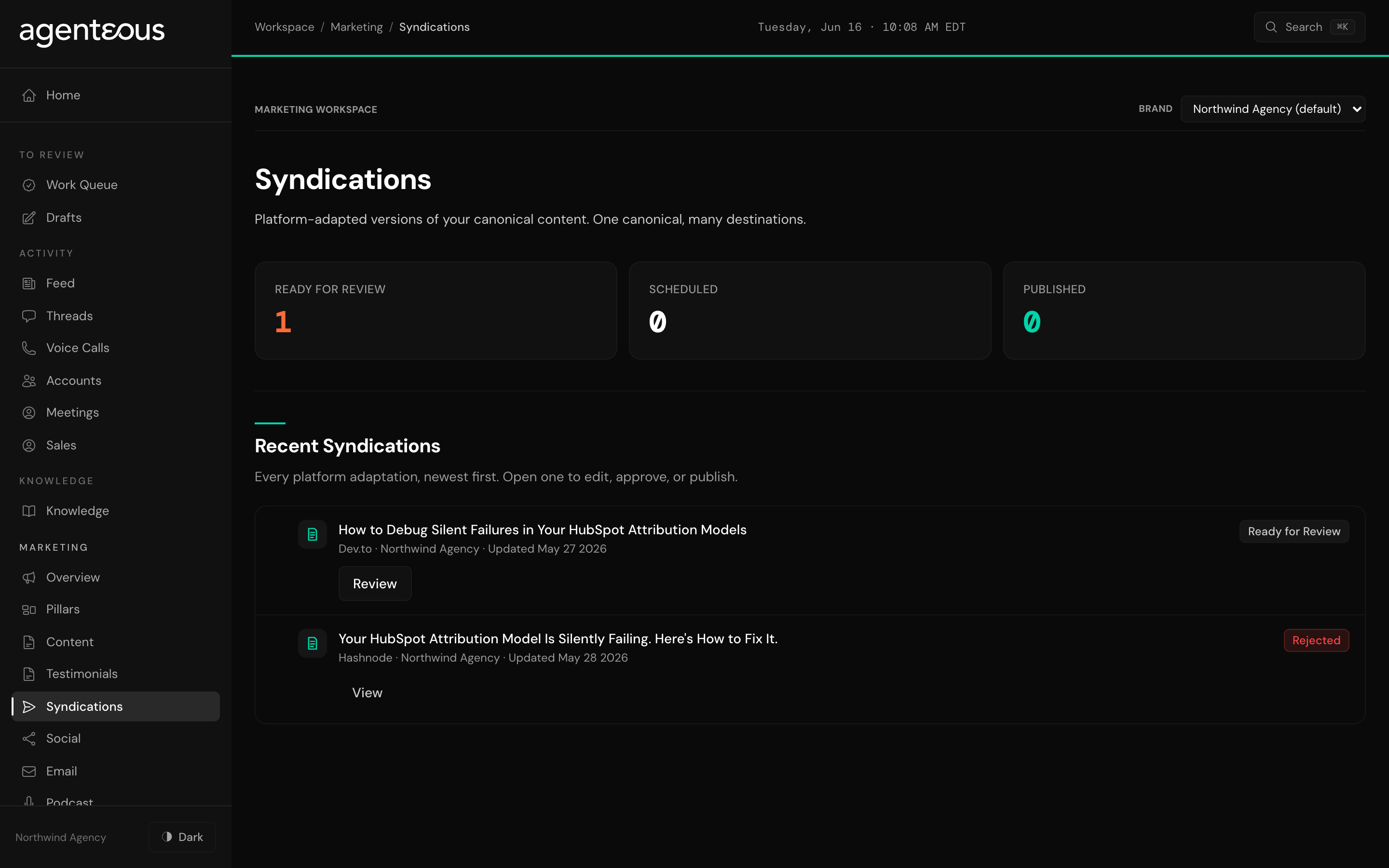
What You See
At the top, three counts give you the state of the work at a glance: how many adaptations are Ready for Review (waiting on your sign-off), how many are Scheduled to go out later, and how many are already Published.
Below the counts is a feed of adaptations, newest first. Each row tells you the shape of one version:
- The platform. Which destination this version was written for.
- The brand. Which of your clients the piece belongs to. The list follows whichever brand you have selected.
- The timing. When it published, when it is scheduled to go out, or when it was last updated, depending on where it is in its life.
- A status pill. Where the version stands: ready for review, scheduled, published, or set aside.
If the feed cannot load, the page says "Activity Unavailable" and asks you to refresh in a moment. When you have not fanned anything out yet, it reads "No Syndications Yet."
What You Can Do
Open any adaptation to review it. The detail view puts the original canonical piece next to its adapted version, so you can see exactly what changed for that platform. From there you can:
- Edit the adapted title, body, and tags in place, then save.
- Approve it, optionally scheduling it for a later time, which marks it ready to publish.
- Reject it, with an optional reason, when a version is not right for that platform.
- Publish it once it is approved.
If you publish a version yourself outside the app, you can paste the resulting link back in so the feed can point to the live post.
How It Connects
The content and social agents generate the adaptations. They take a canonical piece you have written and produce a version tuned to each platform you are set up to publish to, then place each one here as ready for review. Nothing is published on its own: every adaptation waits for you to approve it before it goes out, the same way the rest of your Agenteous work does. So one source piece becomes many platform-ready versions, and you stay the gate on all of them.