Regulatory Digest
What It's For
Regulatory Digest is a read-only list of recent news from the US Federal Trade Commission (FTC): press releases, consumer protection and advertising actions, and competition announcements. It gives the people who handle paid promotions, testimonials, endorsements, and client claims one place to notice when the rules or the enforcement climate shift. It is a news list, not an agent: it does not score, filter, draft, or notify anyone.
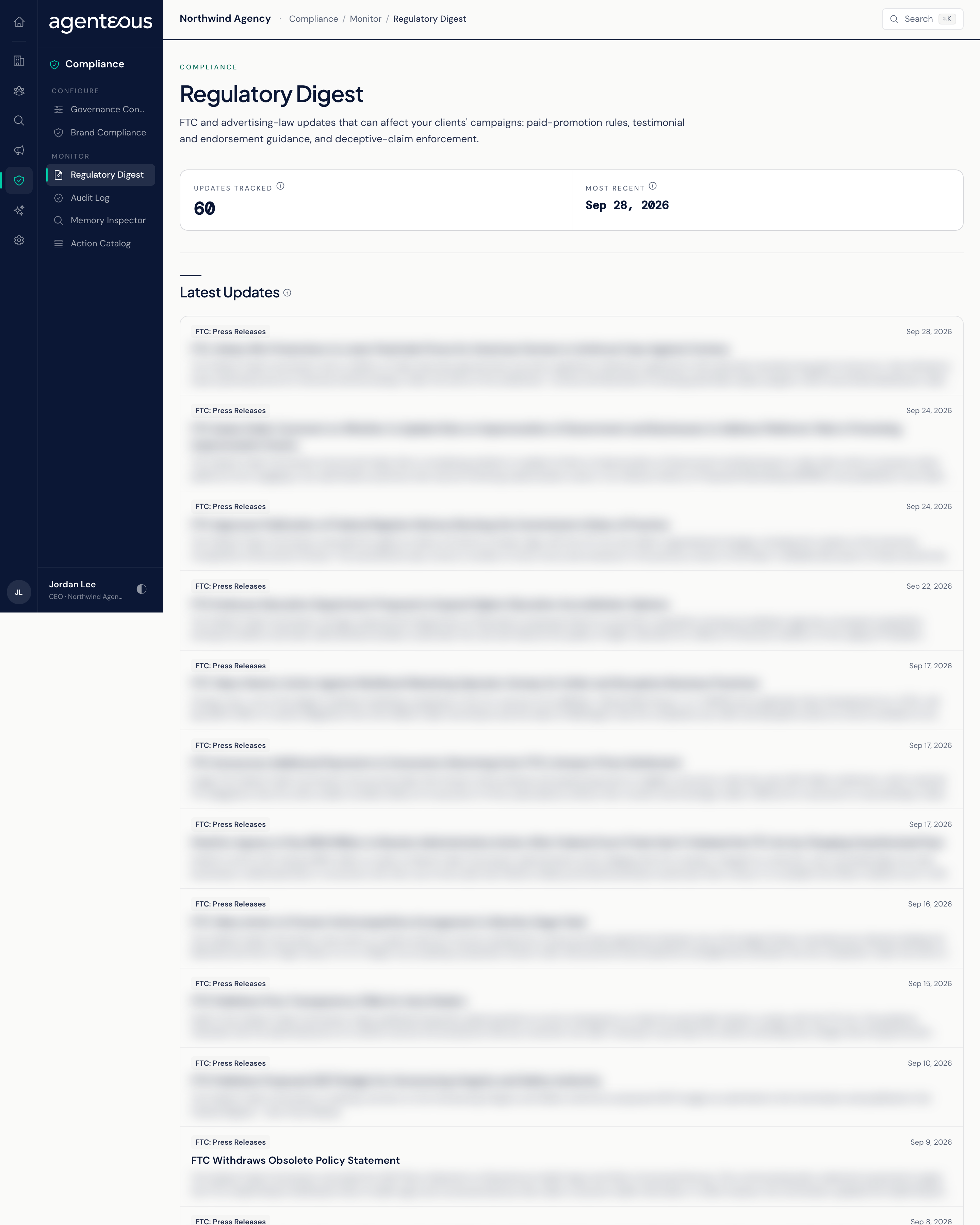
You find it in the Operator Console under Compliance. It is not available in the app, so people who only use the app do not see it.
Where the Items Come From
Agenteous checks three public FTC news feeds about every six hours and adds anything new to the list:
- FTC Press Releases: general agency news.
- FTC Consumer Protection: advertising and marketing actions and guidance.
- FTC Competition: competition announcements.
An item that appears in more than one check is stored once and refreshed, never duplicated. If one feed cannot be reached, the other two still update. The list of feeds cannot be changed from this screen.
Latest Updates
Two tiles sit at the top:
- Updates Tracked: how many items the page has loaded. The page shows the newest 60 items, so this tile never reads more than 60, even when more are stored.
- Most Recent: the publication date of the newest item.
Below them, Latest Updates lists items newest first by publication date. Each item shows the feed it came from, a category label taken from the FTC's own tagging of that item, the date, the headline, and a two-line summary. Click the headline to open the original release on the FTC's site in a new tab.
There is nothing to approve and nothing to dismiss. What you do about an update, such as reviewing a campaign or a clients's claims, is up to your team.
If the page is empty, the message tells you which case you are in:
- No Regulatory Feeds Configured: no feeds are set up on your install. Contact support@agenteous.com.
- No Updates Ingested Yet: the feeds are set up but have not been checked yet. Items appear after the next check, within about six hours.
- Could Not Load The Digest: the list did not load. Try again in a moment.
Who Uses It
- Compliance and operations staff: keep track of FTC actions on advertising, endorsements, and testimonials without watching the FTC site by hand.
- Account managers: check whether a recent action touches a campaign you run for a clients.