Governance
What It's For
Governance shows the rule sets that set the limits your agents work within: which outbound channels may transmit, what is blocked, and which actions need a person to sign off. Anyone signed in to the Operator Console can read them. People with permission can edit an existing rule set, and the change applies to live agent behavior as soon as it is saved.
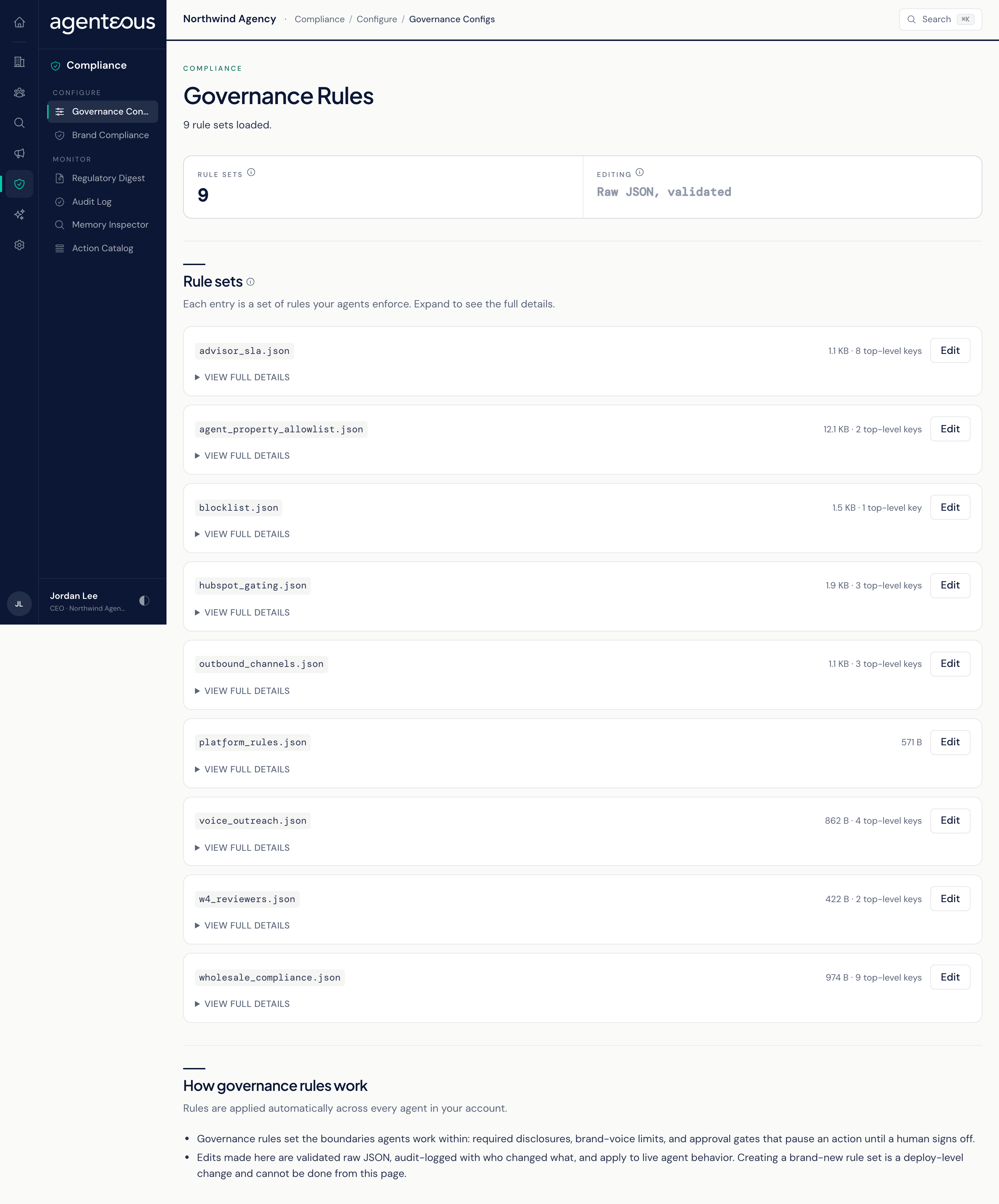
You find it in the Operator Console under Compliance. The screen is titled Governance Rules.
Rule Sets
Each rule set appears as a card showing its name and how many top-level entries it holds. Click View full details to expand the card and read the whole rule set.
Some rule sets matter more than others on an Agenteous install:
- Outbound channels holds the master switches for email the platform sends from its own sending connection, such as marketing and outreach email, and for placing phone calls. Both are off as shipped, so that email is prepared as drafts and call briefs are held. Turning a switch on is a deliberate decision for your agency, and it changes what the platform is allowed to send. Replies you approve in the Work Queue, Accounts, or Principal Inbox are not covered by this switch: approving one sends it right away from the connected mailbox. Text messages and gifts have their own on/off settings, off unless turned on for your install, and LinkedIn messages are never sent by Agenteous: you paste and send them yourself.
- Blocklist, HubSpot gating, agent property allowlist, and voice outreach rule sets limit what agents may read, write, or contact.
The list shows every rule set shipped with the platform, including four written for other product lines: advisor SLA, platform rules, W4 reviewers, and wholesale compliance. These rule sets are saved but do not currently change how Agenteous behaves.
Editing a Rule Set
Editing needs a role that includes the Edit Governance Rules capability. Without it, the screen stays read-only and shows a notice if you try to edit.
- Click Edit on a rule set. The full rule set opens as text in the format the agents read.
- Make your change. The editor tells you straight away whether the text is valid; it will not let you turn the rule set into a different kind of value: a set of named entries must stay one, and a list must stay a list. You can add or remove entries inside it freely.
- Click Review Changes. You see a line-by-line comparison, with removed lines in red and added lines in green.
- Click Save Changes to apply it, or Keep Editing to go back.
Every save is recorded in the Audit Log with who made it and fingerprints of the rule set before and after. You can only change rule sets that already exist; adding or removing a whole rule set is not done from this screen.
A saved change applies to live agents immediately. Review the comparison carefully, especially for the outbound channels rule set.
Who Uses It
- Compliance officers: review the rules in force and make approved changes.
- Agency owners: confirm what agents are and are not allowed to send.