Deal Estimates
What It's For
Deal Estimates turns a HubSpot deal into a scoped estimate: the work broken into phases, the hours, a price range and a timeline. You pick a deal, an agent drafts the estimate, and you read it here. This page only drafts and reads. It has no button to approve, send or change an estimate, and nothing is emailed or created in HubSpot or your document-signing tool. Real proposals for the prospect go through the Work Queue. In the app's sidebar the page is labelled Estimates.
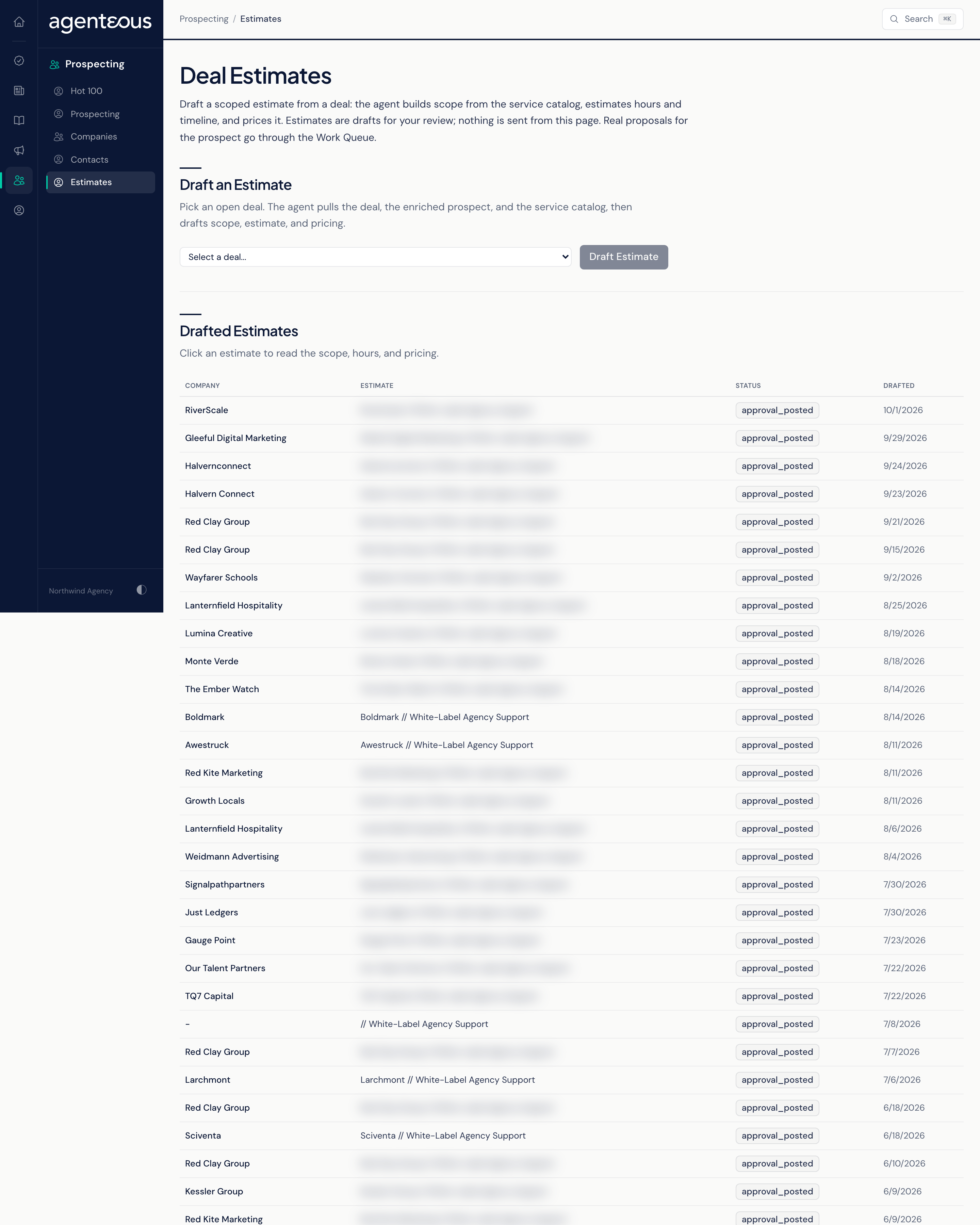
Draft an Estimate
- Pick a deal from the Deal list. Each entry shows the deal name, company and amount. The list holds every deal that has not been lost, up to 200, so won deals appear too.
- Click Draft Estimate. The button reads "Drafting (This Takes a Moment)..." while it works.
The agent reads the deal, what the Prospector knows about the prospect, and your service catalog, then drafts the scope, hours, price and timeline. The new estimate opens in the table below. If it cannot draft one, you see "Could not draft an estimate for that deal."
Every draft is saved and recorded in your audit trail.
Drafted Estimates
The table lists your estimates with Company, Estimate, Status and Drafted. Click a row to expand it, and again to close it. An expanded estimate shows:
- Summary
- Estimate: an hours range.
- Investment: the price range, shown when the estimate is priced.
- Timeline: a range in weeks.
- Scope: the phases, each with its line items and hours, plus Project Management hours.
- Why Us
- Assumptions
- Next Steps
Estimates drafted here show the Draft status, and nothing on this page moves an estimate to another status. To share an estimate with a prospect, copy what you need into your own proposal document.
The table also lists proposals that came from sales meetings, so you may see rows marked Approved or Rejected. Those are decided in the Work Queue or Slack, not here.
When there are no estimates yet, the table reads "No estimates yet. Draft one from a deal above."
How This Differs From Proposals in the Work Queue
The proposals that appear in the Work Queue with Approve & Send come from a different source: they are proposals requested in a sales meeting. They keep the name Proposal and have no link to this page. Approve & Send on one of those sends it straight away: with the shipped settings it creates or updates the HubSpot deal, sends the proposal document to the prospect for signature, and moves the deal to Proposal Sent. Estimates drafted on this page never reach the Work Queue.
Who Uses It
- Sales leads: get a first-pass scope and price for a deal in minutes.
- Agency owners: sanity-check how a deal might be scoped before a proposal goes out.