Clients
What It's For
Clients is your roster of clients and the place you keep each one's working context up to date. The agents read what you record here, the client profile, brand voice, campaigns and channels, whenever they write or review work for that client. In the Operator Console, under Clients, open Clients.
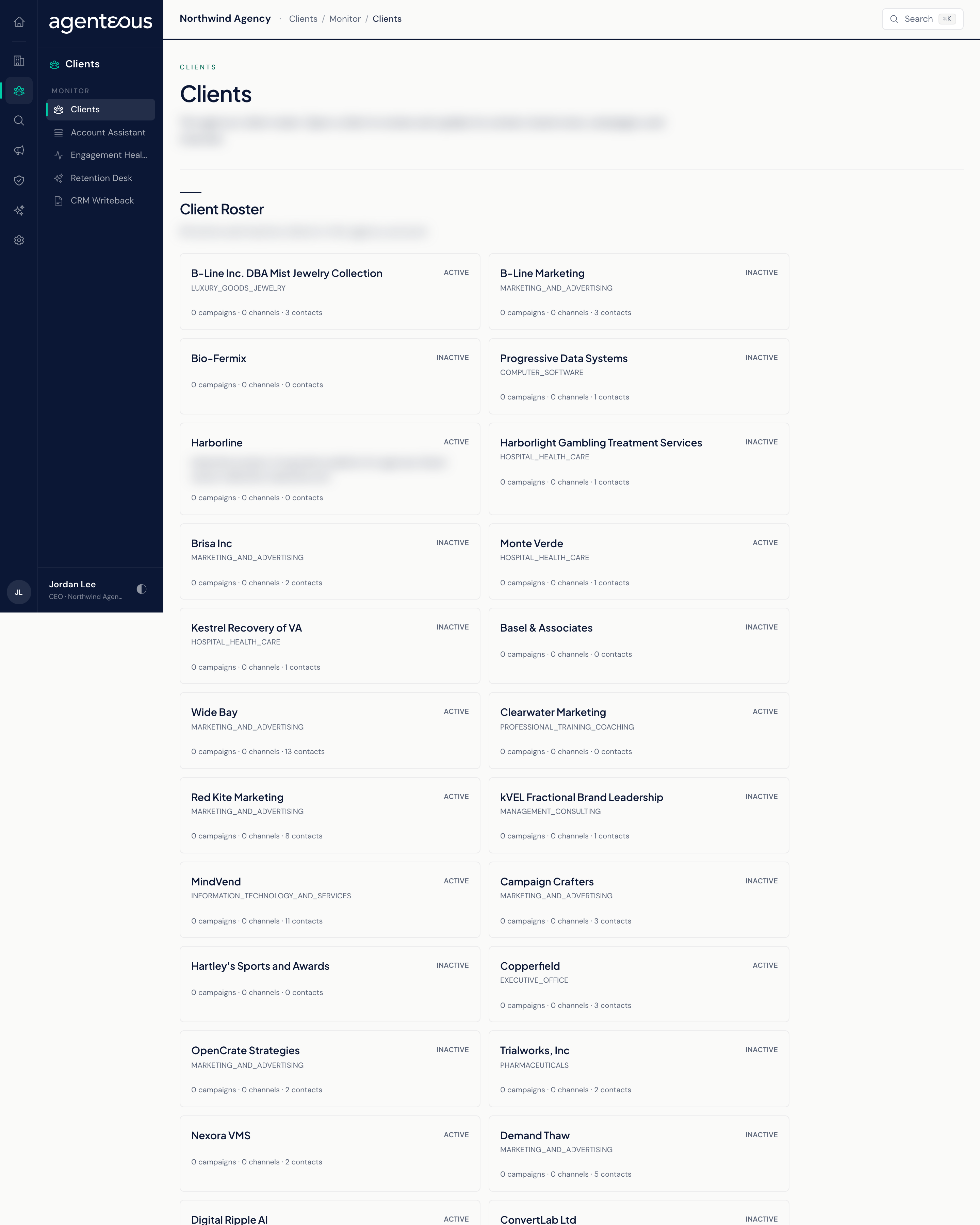
Client Roster
The roster lists all of your active and inactive clients as a grid of cards. Each card shows:
- The client's name and status (Active or Inactive).
- Its industry and a two-line summary.
- How many campaigns, channels and contacts it has.
The roster itself is read-only. Click a card to open that client's page, where the editing happens. If there are no clients yet the page reads "No clients yet"; if the roster cannot load, it says so and asks you to refresh.
Client Page
Opening a client shows its name at the top and a set of sections below. The first four are editable; each starts as a summary with an Edit button, and Save writes your change straight away.
Client Context
Who the client is. The Profile card holds the client name, status (Active or Inactive) and a summary. Agents use this to ground every task they do for the client, so keep the summary current when the relationship changes.
Brand Voice
How this client sounds. The Voice card holds Tone, Audience, Guidelines (what the voice should do) and Avoid (what the voice should never do). Every agent uses this when writing or reviewing content for the client.
Campaigns
One card per campaign, showing its objective and status. Edit a campaign to change its Name, Objective, Status (Planning, Active, Complete or Paused), Starts on and Ends on dates. Campaigns scope the work an agent does for this client.
Channels
One card per channel where the client's marketing runs. Edit a channel to change its Name, Kind (Email, Paid social, Paid search, Organic social, Content or SEO) and Handle.
Contacts
The HubSpot contacts linked to this client's company, with name, title and email. This list is read-only here; it reflects HubSpot.
Deals
The HubSpot deals linked to the client's company, with stage, amount and close date. Read-only.
Activity
The engagement history from HubSpot: emails, meetings, notes and calls logged against the client's contacts, newest first, each tagged with its type and date. Read-only.
Every save on a client page is recorded in the Audit Log.
Who Uses It
- Marketing Operator: keeps each client's context, brand voice, campaigns and channels accurate so drafts start from the right brief.
- Ops Admin, Admin Operator and CCO: can also edit client records; these roles carry the same permission.
- Viewer: read-only; this role cannot save changes to a client.