CRM Writeback
What It's For
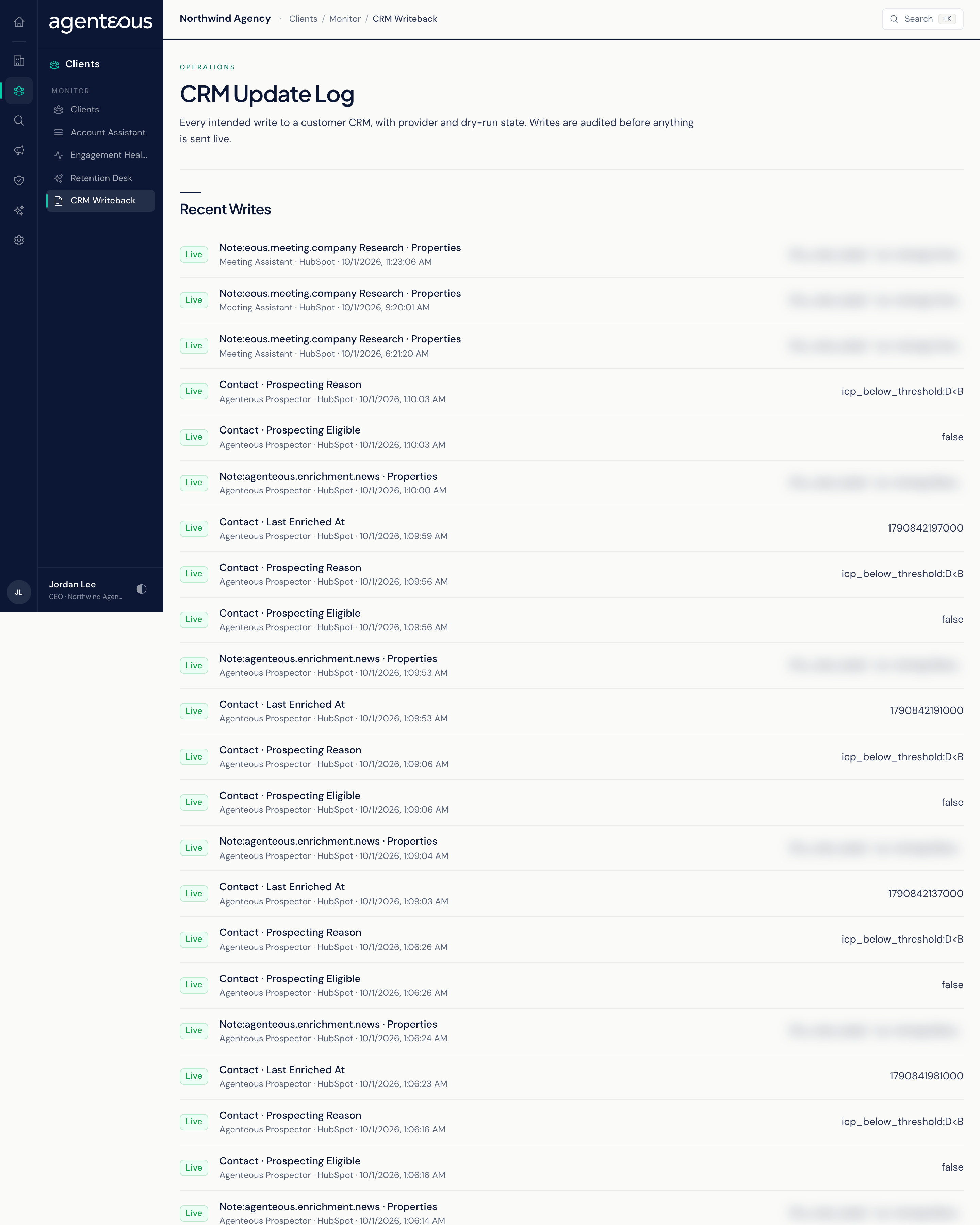
CRM Writeback is the log of every change the agents have tried to make to your CRM, such as updating a property on a contact, company or deal. It lets you see what an agent wrote, where and when, and whether the write was a dry run or went to the live CRM. The page is read-only: nothing is configured, approved or retried here. In the Operator Console, under Clients, open CRM Writeback; the page itself is titled CRM Update Log.
How a Write Is Checked
Before any agent change reaches your CRM, Agenteous runs it through a fixed set of checks, in order:
- The text is cleaned so nothing unsafe is written.
- The property must be on the governance allowlist of fields that agent may change. Anything not listed is refused.
- The write policy applies: the agent must be confident enough for that field, and the field's overwrite rule decides whether an existing value may be replaced.
- The record must be matched to a real CRM record.
A write can run as a dry run, which goes through every check and is logged but sends nothing to the CRM. CRM enrichment from meetings writes live by default, so its changes reach real records; you can review and undo them in CRM Enrichment Review. Before a live write, the old value is saved alongside the new one, so each change can be reversed. Refused writes are logged too, with the reason.
Recent Writes
The 50 most recent writes, newest first. Each row shows:
- A badge: Dry Run or Live.
- The record type and property, for example Contact and the field name.
- The agent that made the write, the CRM provider and the time.
- The new value, shortened if long.
When nothing has been written yet, the list reads "No Writebacks Recorded Yet."
The badge reflects only whether the write was a dry run. Live means the write was not a dry run; it does not confirm that your CRM accepted the change. A write refused by an agent writing live, for example because the property is not on the allowlist or the record could not be matched, still shows Live here. To confirm a change landed, check the record in your CRM.
Who Uses It
- Ops Admin: checks what the agents are writing before switching an agent to live writes, and spot-checks live writes afterwards.
- CCO: reviews agent changes to client records as part of governance.
- Marketing Operator: confirms that enrichment and outcome updates are reaching the CRM.