CRM Enrichment Review
What It's For
CRM Enrichment Review lists the HubSpot fields Agenteous filled in automatically from your finished sales meetings, and lets you undo any write that looks wrong. In the Operator Console, under Sales & Meetings, open CRM Enrichment Review.
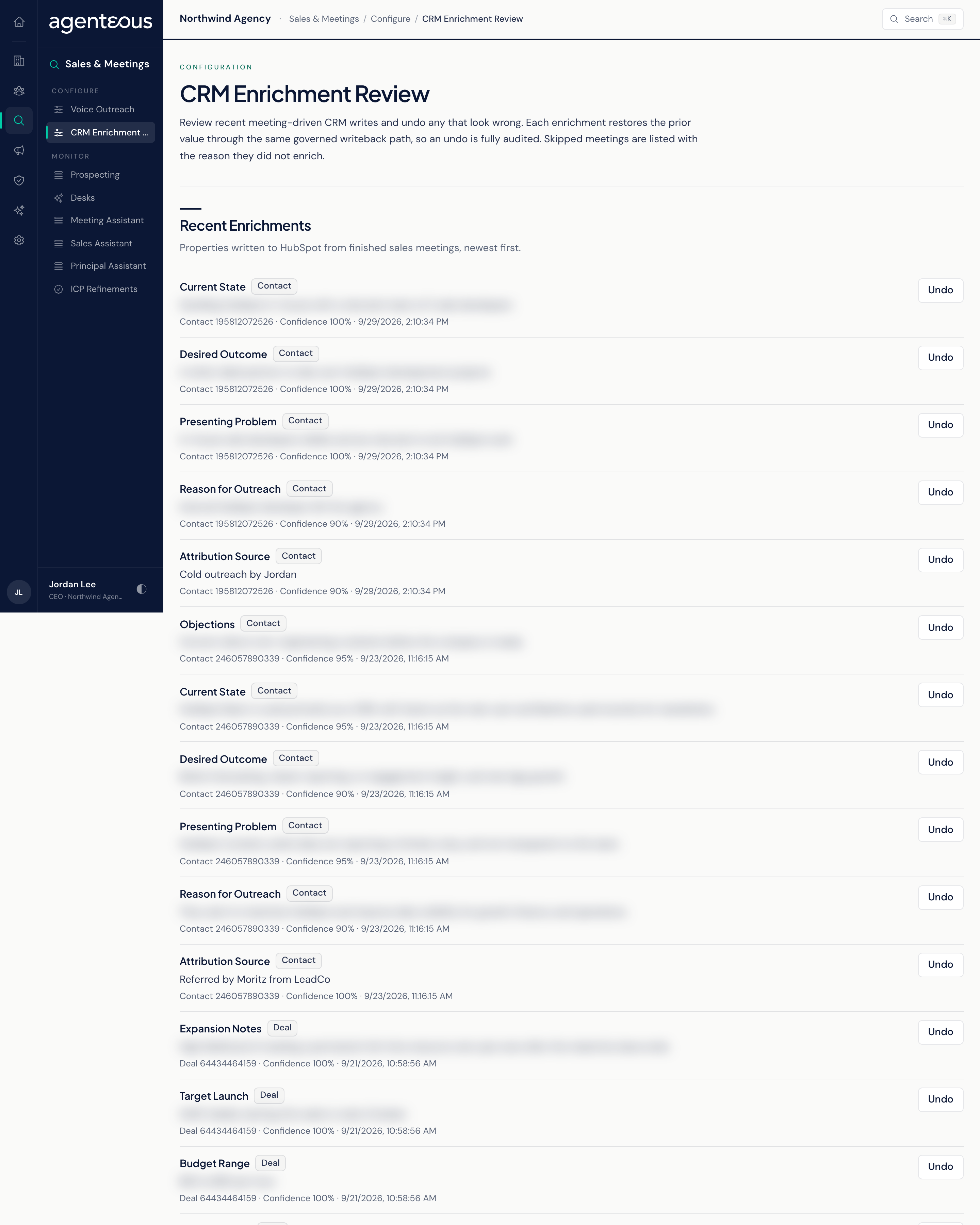
After the Meeting Assistant produces a post-meeting report for a sales meeting, Agenteous reads what was said and writes what it learned back to the contact and deal in HubSpot. These writes happen without an approval step, because they update your own CRM records rather than sending anything to anyone. This page is your oversight: see every write, and reverse the ones you disagree with. There are no settings here.
What Gets Written
Writes go to custom HubSpot properties in an Agenteous property group, so they never overwrite HubSpot's standard fields.
- On the contact: attribution source, reason for outreach, presenting problem, desired outcome, current state and objections.
- On the deal: a deal stage hint, budget range, target launch, competitors mentioned and expansion notes.
Each field is written only when the AI is confident enough in what it heard: at least 60% for most fields, 70% for budget range and target launch, and 80% for the deal stage hint. Current state and target launch are filled only when empty; the other fields are updated after each qualifying meeting.
Each enriched meeting also adds a timeline note summarising what was heard to the contact, and to the company and deal when there is one. The note is listed on this page but cannot be undone here; delete it in HubSpot if you need to.
Recent Enrichments
The page loads the 50 most recent entries, newest first, and lists the writes here and the skips under Skipped Meetings. Each row shows the property, whether it is on a contact or a deal, the new value, the record, the confidence and when it was written.
- Undo: puts the previous value back in HubSpot (or clears the field if it was empty before). The undo goes through the same governed path as the original write and is recorded in the audit trail. The row then reads Undone, and a message confirms Reverted To Prior Value.
- Not Undoable: shown on rows that cannot be reversed, such as a row already undone or anything that is not a contact or deal property write (a note, for example). If the original was a trial run that never reached HubSpot, Undo simply marks the row undone, since there is nothing in HubSpot to reverse.
Skipped Meetings
Meetings the enrichment step chose not to write from, each with the reason, the meeting and when it was skipped. With none, the section reads "No skipped meetings in this window."
Who Uses It
- Sales leads and account managers: spot-check what was written to your contacts and deals after calls.
- HubSpot admins: reverse a bad write without hunting through property history.
- Undo needs CRM management rights (the Marketing Operator, Admin Operator or CCO role).