HubSpot Onboarding
Price onboarding a client onto HubSpot: the guided work of standing up each hub at the tier they bought. Pick the hubs in scope and the tier for each one, confirm the deliverables, and the wizard produces an hour estimate and a scope narrative you can hand to the client.
What It's For
Run this wizard when a client is licensing one or more HubSpot hubs for the first time and needs the standard setup work that comes with that tier: the base configuration, not a deep custom build. If the client is coming from another CRM or marketing tool and you need to price the move itself, that is the Migration Quoting Wizard. If the client already has a hub onboarded and wants configuration beyond what its tier's standard deliverables cover, that is a different, deeper engagement.
How It Works
Each hub in a HubSpot portal is priced on its own. You are not pricing "HubSpot" as one lump sum; you are pricing CRM, Marketing Hub, Sales Hub, Service Hub, Content Hub, Operations Hub, and Commerce Hub as separate line items, and a client buying three hubs gets three independent estimates added together.
The tier you pick for each hub, Starter, Professional, or Enterprise, is the decision that shapes everything else about that hub's price. Tier drives both the default list of deliverables and the baseline hours before any deliverable is unchecked. The Hubs step shows each hub's deliverable count and baseline hours for the tier you select, so read the figures there rather than relying on a number remembered from an earlier quote. Not every hub offers every tier: Starter exists only for CRM, Marketing and Sales, and Commerce Hub is offered at Professional only.
The hours behind each deliverable are not this agency's own estimate; they are modelled on HubSpot's partner onboarding programs, the fixed-scope packages HubSpot publishes for each hub and tier. A hub's package is a standard program size, not a negotiable estimate of the work. If a client needs configuration beyond what the package actually covers, that overflow is a separate, deeper engagement: scope it in the Implementation Wizard rather than stretching this wizard's numbers to cover it.
Once tiers are chosen, the Features step (labeled Deliverables) lists every deliverable that tier includes, all checked by default. Unchecking one removes it from that hub's estimate immediately; there is no separate confirmation step, the total just updates.
The Estimate step is where onboarding diverges most from the other pricing wizards. It applies base hours and the skill-tier multiplier the same way every tool in the estimate spine does, but it stops there: onboarding adds no overhead at all. No testing percentage, no contingency percentage, no project-management line. The grand total is exactly the tier-adjusted subtotal across every hub, nothing added on top. That is not a missing tile; it is how this wizard is meant to work, and it is the one wizard in the estimate spine where that is true. The only adjustable knob here is hours per week, which sets the timeline band; there is no testing or contingency percentage to tune because there is none applied.
No model runs anywhere in this wizard until the SOW step. When it does run, it is given real domain knowledge about what each HubSpot tier includes and where its ceiling sits, so the narrative can say something specific: that a Starter Sales Hub, for instance, has no sequences or forecasting, rather than a generic sentence about "starter features." That domain knowledge is supplied to the model as reference material; it is not something the model is inventing about HubSpot on its own. Regenerate, Humanize, and (when Tier Time is on) the Client Version behave exactly as described in the tools overview.
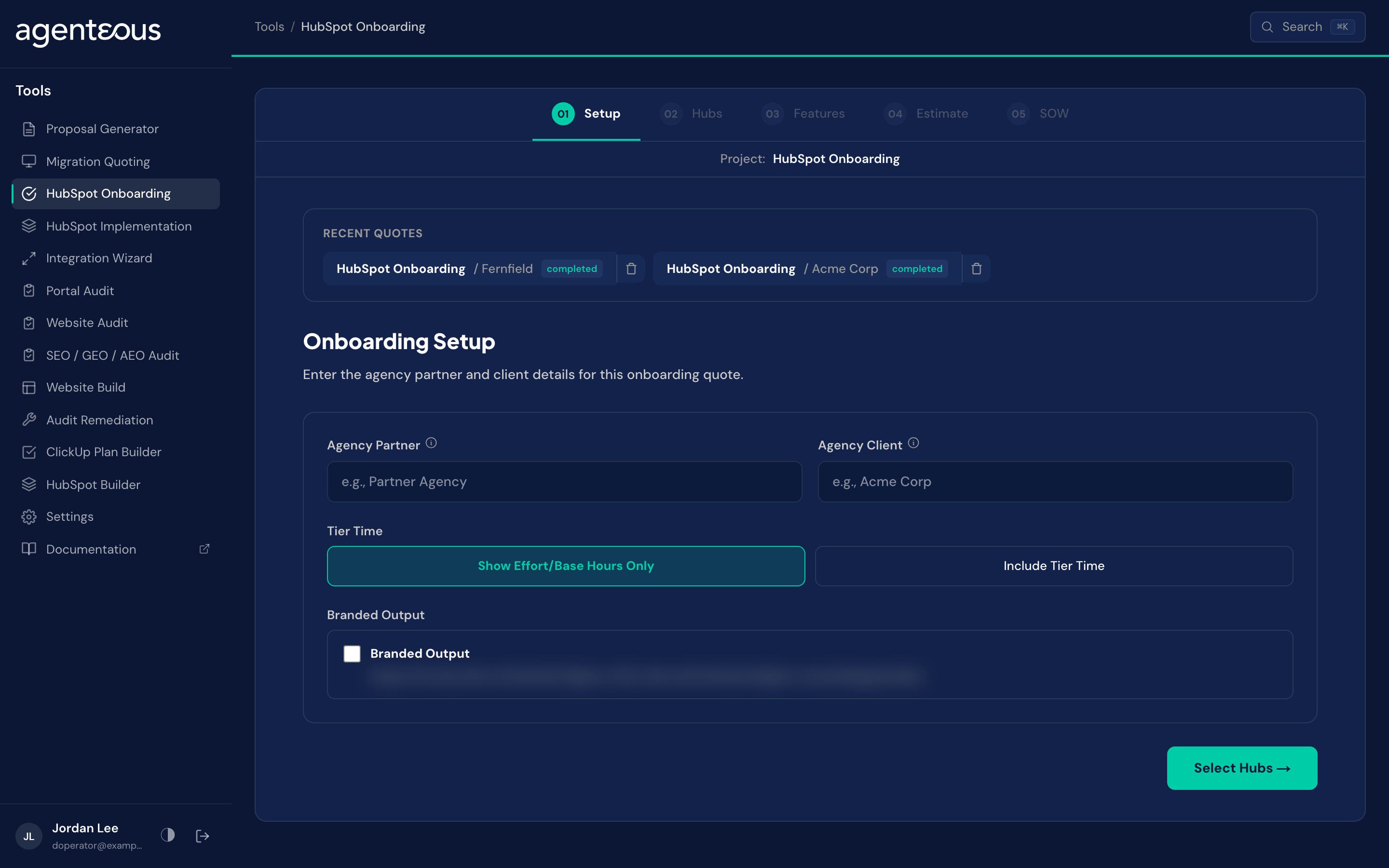
Setup
What you supply. The agency partner name, which appears on the estimate header, and the agency client name, used in the document titles and exported file names. Both are optional. If your instance has Skill Tiers on, a Tier Time choice: "Show Effort/Base Hours Only" (the default) or "Include Tier Time". If your instance also has AI Acceleration on, a Delivery Model choice: "Manual Delivery" (the default) or "AI-Assisted Delivery". Either choice is hidden entirely when its instance-wide setting is off. A Branded Output switch adds an agency-branded PDF button to the exports.
What happens. These carry through to every later step and into the final documents. Tier Time and Delivery Model are saved with the quote and can be changed later; see the tools overview for what each does across the whole estimate.
Behind the scenes. No model runs on this step.
Hubs
What you supply. Which hubs are in scope, and the tier, Starter, Professional, or Enterprise, for each one.
What happens. Each hub shows its deliverable count and baseline hours for the tier you select, so you can see the impact of a tier choice before you commit to it. You can fine-tune the actual deliverable list on the next step.
Behind the scenes. No model runs on this step. Tier selection is a lookup into that hub's deliverable catalog.
Features
What you supply. Which deliverables to keep for each hub. Every deliverable for the tier you chose starts checked; uncheck anything the engagement does not need.
What happens. The estimate recalculates automatically as you check and uncheck items, hub by hub.
Behind the scenes. No model runs on this step.
Estimate
What you supply. An optional adjustment to hours per week, which sets the timeline band. There is nothing else to adjust, because onboarding applies no testing or contingency percentage.
What happens. You see base hours, tier-adjusted hours, a grand total, and a timeline band per hub and combined. There are no fixed-deliverables, testing, or contingency tiles here, and no project-management line: the grand total is the tier-adjusted subtotal, full stop. On an AI-assisted quote, an "AI Acceleration Adjustment" line still appears before the grand total, and ClickUp receives the AI-assisted hours rather than the manual figure; see the tools overview for how that choice works.
Behind the scenes. No model runs on this step. The entire estimate is arithmetic over the hubs, tiers, and deliverables you selected.
SOW
What you supply. Nothing for the first draft. After that, you can regenerate, humanize, or generate the client version.
What happens. You get a scope narrative that names the hubs and tiers involved, the pace it assumes, and reasons about what each tier actually includes and where it stops, calling out specific gaps like a Starter tier lacking a capability that a higher tier includes.
Behind the scenes. This is the only step in the whole wizard where a model runs. It writes from the already-fixed numbers and from supplied reference knowledge about what each HubSpot tier includes; it is not deriving HubSpot's feature boundaries on its own.
Recent Quotes
Each saved quote appears under Recent Quotes on the Setup screen so you can reopen it later. Export buttons on the estimate are Print PDF, Branded PDF (when Branded Output is on), Copy Markdown and Download XLSX.
What Good Looks Like
An onboarding estimate should track the tiers actually being licensed, and the narrative should describe capability gaps specific to those tiers rather than generic HubSpot language.
The deliverable list looks wrong for the tier you meant to quote. Changing a hub's tier on the Hubs step resets its deliverable list to that tier's defaults, so any unchecking you did before the tier change is gone. Revisit the Features step after any tier change and recheck what is actually included.
A testing, contingency, or project-management line seems to be missing from the Estimate. It is not missing. Onboarding is the one wizard in the estimate spine that applies none of those by design; the grand total equals the tier-adjusted subtotal exactly.
Commerce Hub looks thin next to the other hubs. Commerce Hub is offered at the Professional tier only and carries a short deliverable list, so its line is smaller than the others.
Who Uses It
Anyone on your team who can sign in to the tools, usually whoever prices HubSpot onboarding. Administrators set the onboarding defaults in Tools Settings.
Related
- Tools Overview: the estimate spine, Tier Time and the document steps.
- HubSpot Implementation: price a detailed portal build instead.
- Tools Settings: the onboarding defaults.